The DocSend alternative for secure, tracked document sharing
Short answer: HelpRange is a DocSend alternative priced per team, not per user: Pro costs $39 a month for the whole team (DocSend Standard is $45 per user a month, billed yearly), data rooms with NDA before access are $87 a month on Max, and one deal is $299 once with the Deal Room Pass. The free plan includes 30 document views a month.
DocSend (Dropbox) is popular for sharing pitch decks and sales documents with analytics. Teams compare it with HelpRange when they need more control after sending and deeper analytics than time per page.
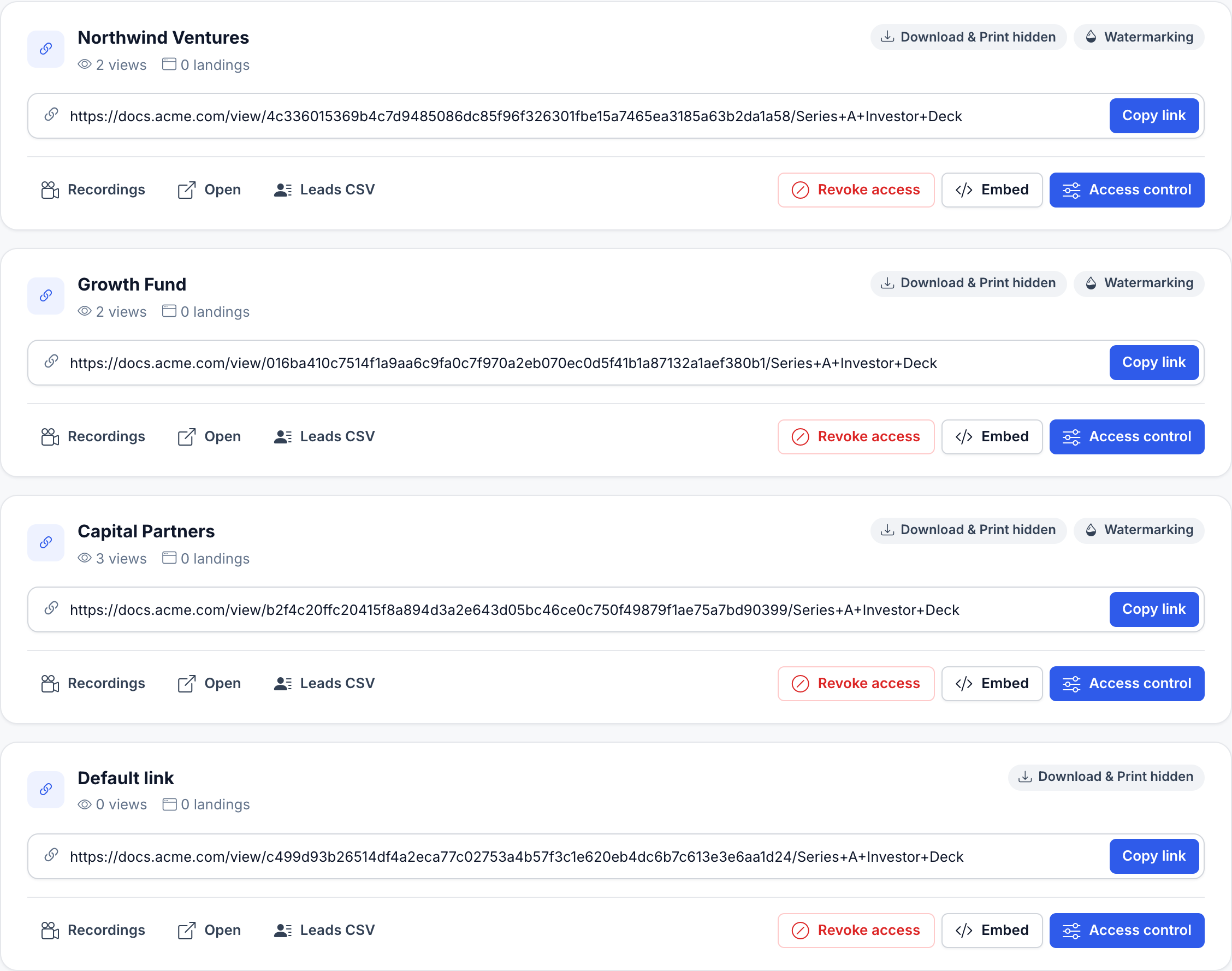
Your whole team, unlimited guests, one price. Or $299 for a single deal. No sales call.
Max is $87 a month for your whole team – data rooms, NDA before access, AI Q&A. The Deal Room Pass is $299 once for 90 days and never renews. Sign up and pay by card.
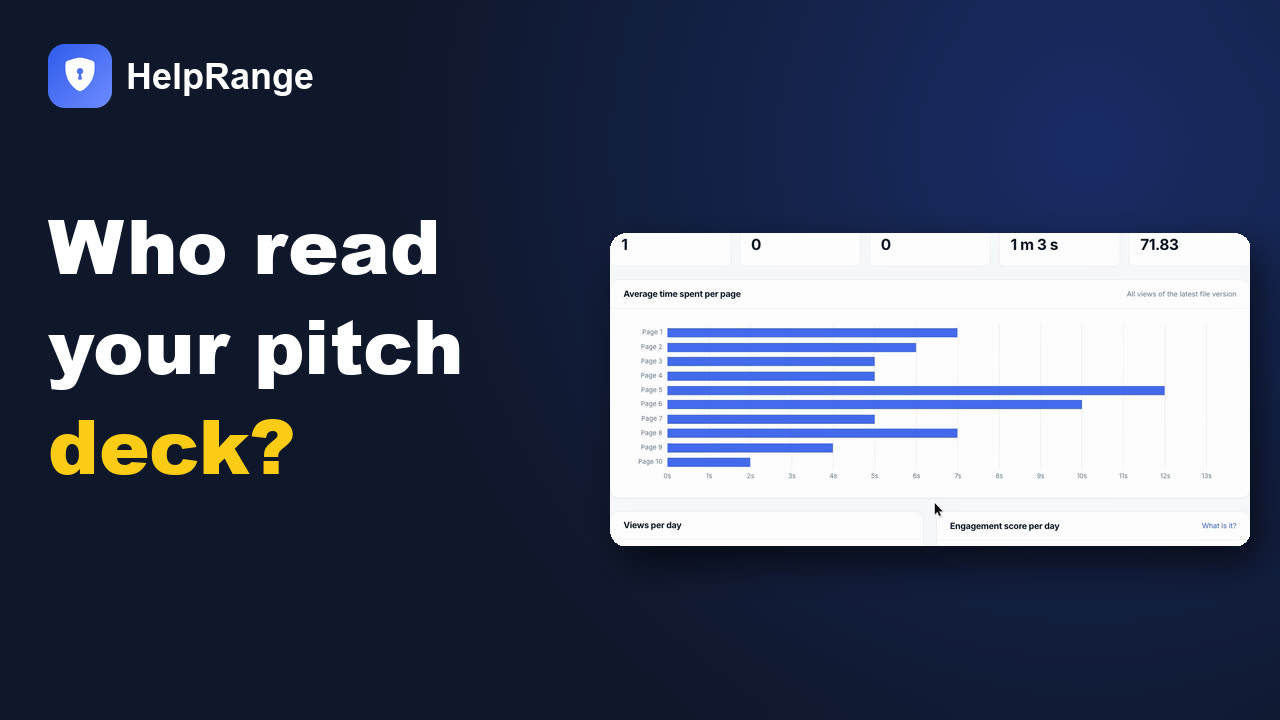
See who viewed your pitch deck – in 90 seconds
Trusted by 8,100+ teams






Why teams switch from DocSend
- You want heatmaps that show where readers focus, not only time per page
- You need screenshot protection, watermarks and forwarding control
- You want data rooms, file requests and AI included
- You want one price for the whole team, not per user
What you get with HelpRange
- Share only with specific email addresses, password and expiry
- Block downloading, printing and forwarding
- Dynamic watermark and screenshot protection
- Revoke access or update the file after sending
- Page-by-page analytics, heatmaps and alerts
- PDF, Word, Excel, PowerPoint and video in one viewer
A data room with NDA, watermark and screenshot protection
DocSend: from $150 a month for 3 people (Advanced, billed yearly; $250 billed monthly). HelpRange Max: from $69 a month for your whole team ($87 billed monthly).
| HelpRange | DocSend | |
|---|---|---|
| Dynamic watermark + screenshot protection | Pro: $31 / month yearly, whole team | Advanced: $150 / month yearly, 3 users |
| Data room + NDA + dynamic watermark + screenshot protection | Max: $69 / month yearly, whole team | Advanced: $150 / month yearly, 3 users |
| Due diligence tracking, automatic index numbering, audit log | Max: $69 / month yearly, whole team | Advanced Data Rooms: $180 / month yearly, 3 users |
| Single sign-on (SSO) | Included in Unlimited and the Deal Room Pass: SAML 2.0, OpenID Connect, SCIM, single logout | Paid add-on (Okta, OneLogin, Azure) – price from sales |
| Free plan | Yes – 30 document views a month | No |
DocSend prices read on docsend.com/pricing on 14 November 2026, in USD; HelpRange prices from our pricing page. HelpRange pricing Amounts after ≈ are converted at the rates of 13 Nov 2026.
How much do you save by switching from DocSend?
Pick your team size and the DocSend plan. The result updates right away.
HelpRange vs DocSend
Feature by feature. Information about DocSend is based on publicly available materials and may change – please verify with the vendor.
| Features | HelpRange | DocSend |
|---|---|---|
| Analytics | ||
| Document Heat Mapping | ||
| Time Spent Per Page | ||
| View Individual Sessions (Heat Maps) | ||
| Avg Time Spent Per Day | ||
| Avg Page Count Per Day | ||
| Views Count Per Day | ||
| Control & Security | ||
| Allow Download & Print | ||
| Screenshot Protection | Advanced plans | |
| One-viewer limit per document | ||
| Passcode | ||
| Expiration Date | ||
| Watermarking | ||
| Disallow Forwarding | ||
| IP-Address Access Restriction | ||
| Granular Link Level Access Control | ||
| Other features | ||
| E-Certificates | ||
| Branded Document Viewer | ||
| 3rd Party Widgets | ||
| Offers, acknowledgement and AI | ||
| Offer page with “Accept offer” / “Request contact” | Yes – before the document, with an e-mail to you (Pro and up) | Accept by e-signature [docsend.com] |
| AI offer generator | Yes – a new offer from your last one, with preview and confirm (Pro and up) | Not stated |
| Engagement score per recipient | Yes – 0–100 for every recipient | Score for video only [docsend.com] |
| Document acknowledgement (“I have read and accept”) | Yes – per document and version, with a CSV log (Max, Unlimited, Deal Room Pass) | Terms or NDA before access, not per document [help.docsend.com] |
| Automatic redaction | Yes – Max, Unlimited, Deal Room Pass | Not stated |
| Excel shown as a spreadsheet | Yes – every plan | Yes [help.docsend.com] |
| Rows added on 8 November 2026. Competitor facts come from each vendor’s own website or help pages, read that day; “Not stated” means we did not find the feature there – check with the vendor. | ||
| Integrations and data room details (DocSend checked November 2026) | ||
| CRM integrations | Native: HubSpot, Pipedrive, Close CRM, Attio, Copper, Freshsales – plus Zapier, Make and n8n. Included from Pro ($39 per team) and in the Deal Room Pass ($299 once, 90 days) | Salesforce as an add-on – “contact Sales for availability”; HubSpot only through Zapier [help.dropbox.com, zapier.com] |
| Dynamic watermark | Viewer’s e-mail on every page – from Pro | E-mail, IP address, account name, date and time – Advanced and Advanced Data Rooms [help.dropbox.com] |
| Screenshot protection | From Pro | Advanced and Advanced Data Rooms; DocSend notes it cannot stop photos taken with another device [help.dropbox.com] |
| Download a whole data room (ZIP) | Import a ZIP into a data room with its folders – Pro and up | “Download space” as a ZIP – not on a limited trial; several items at once and the index export on Advanced Data Rooms only [help.dropbox.com] |
| Free plan | 30 document views a month | No – 14-day trial [docsend.com/pricing, 14 November 2026] |
| DocSend cells read on 19 November 2026 in the Dropbox help centre (where DocSend’s help articles live) and on zapier.com; the free-plan cell on docsend.com/pricing on 14 November 2026. Plans can change – check with the vendor. | ||
| Pricing | ||
| Free plan; Pro $39/team/month; Max $87/team/month; Unlimited $174/team/month Deal Room Pass: $299 once for one 90-day deal - Unlimited documents |
Personal $10, Standard $45 per user/month (yearly); Advanced Data Rooms $180/month (yearly, 3 users) | |
Guests verify their e-mail and sign your NDA before the first page – for data rooms and single links. Data room activity
Who logged in, opens per day, reading time and session recordings for every room. AI summaries & data room Q&A
Guests ask questions, answers cite document and page. File requests & guest uploads
Clients upload into your folder or data room – you choose who sees the files. Slack alerts & webhooks
Know the moment a document is opened; Zapier, Make, CRM. Two-step login & Google sign-in
TOTP codes from authenticator apps, on every plan.
Pricing: Free plan (30 document views a month) · Pro $39/team/month for file sharing and e-signature · Max $87/team/month with data rooms, NDA, file requests and AI · Unlimited $174/team/month adds a custom domain · yearly billing about 20% cheaper. Compare plans
DocSend plan by plan: what each plan really includes
DocSend's help articles sit in the Dropbox help centre, and each one names the plans its feature is on. We read 27 of them on 20 November 2026 and copied the plan list and the limits they state into 24 rows – the article path and the date Dropbox last updated it are under every row (plain paths, we do not link to vendor sites). The last column is the lowest HelpRange plan with the same control, checked in our own code.
| Control | DocSend Limited Trial (free) | DocSend Personal | DocSend Standard | DocSend Advanced | DocSend Advanced Data Rooms | HelpRange – lowest plan |
|---|---|---|---|---|---|---|
| Who pays: users includedPersonal has one owner plus members; Standard and up add admins. "The DocSend Advanced Data Rooms plan includes 3 licenses." Extra seats: $60 a month billed yearly on the pricing page. Source: help.dropbox.com/account-access/dropbox-docsend-user-roles (updated 23 Jul 2026); help.dropbox.com/plans/dropbox-docsend-advanced-data-rooms-plan (updated 6 Mar 2026); help.dropbox.com/plans/dropbox-docsend-limited-trial (updated 31 Mar 2026) |
Members only | Per user | Per user | 3 users, then per extra seat | 3 licences, then per extra seat | FreeAny number of team members on every plan – one price per team |
| Documents you can keepDocument limit 5 on the Limited Trial ("upload and store up to 5 documents at a time", up to 10 links); unlimited on paid plans. Source: help.dropbox.com/create-upload/dropbox-docsend-file-upload-limitations (updated 8 Dec 2025); help.dropbox.com/plans/dropbox-docsend-limited-trial (updated 31 Mar 2026) |
5 | Unlimited | Unlimited | Unlimited | Unlimited | Pro ($39/month)Unlimited documents and views from Pro (Free: 30 document views a month) |
| Largest fileDocument upload limit 2 GB and 500 pages per document on every plan; video 2 GB, audio 1 GB; storage 10 GB per user (Limited Trial, Personal) or 50 GB per user. Source: help.dropbox.com/create-upload/dropbox-docsend-file-upload-limitations (updated 8 Dec 2025) |
2 GB, 500 pages | 2 GB, 500 pages | 2 GB, 500 pages | 2 GB, 500 pages | 2 GB, 500 pages | Free100 MB with full protection on every plan; bigger files download-only: 200 MB (Pro), 500 MB (Max), 5 GB (Unlimited) |
| Data rooms (Spaces)Spaces are on Standard, Advanced and Advanced Data Rooms. On Standard "the subfolders won't be included. To use Space folders, you'll need to upgrade to an Advanced plan." Source: help.dropbox.com/organize/dropbox-docsend-create-a-space-data-room (updated 23 Jul 2026); help.dropbox.com/create-upload/dropbox-docsend-file-upload-limitations (updated 8 Dec 2025) |
No | No | Yes – no folders inside a Space | Yes, with folders | Yes, with folders, indexing | Pro ($39/month)Up to 3 data rooms on Pro (no NDA), unlimited on Max; folders in every room |
| Files across all data rooms"Total assets in Spaces": 200 (Standard), 2,000 (Advanced), 4,000 (Advanced Data Rooms) – "shared across the entire team"; 200 per Space folder. Source: help.dropbox.com/create-upload/dropbox-docsend-file-upload-limitations (updated 8 Dec 2025); help.dropbox.com/plans/dropbox-docsend-advanced-data-rooms-plan (updated 6 Mar 2026) |
– | – | 200 in total | 2,000 in total, 200 per folder | 4,000 in total, 200 per folder | Pro ($39/month)No cap on documents per room in the plans; one ZIP import brings up to 2,000 files and 10 folder levels |
| Password and expiry date on a linkContent library link settings apply to "all DocSend plans, unless stated otherwise" – password and expiration carry no plan note; on Space links they are listed for Standard, Advanced and Advanced Data Rooms. Source: help.dropbox.com/share/dropbox-docsend-link-settings-in-content-library (updated 3 Feb 2026); help.dropbox.com/share/dropbox-docsend-link-settings-in-spaces (updated 9 Nov 2026) |
Yes | Yes | Yes | Yes | Yes | Pro ($39/month)Pro |
| Verified e-mail before viewing"Verify email to view … only available to users on the Advanced and Advanced Data Rooms plans" – below that a visitor can type any valid address. The verification link is valid for one hour and must be opened on the same device. Source: help.dropbox.com/share/dropbox-docsend-email-authentication (updated 11 Dec 2025); help.dropbox.com/share/dropbox-docsend-link-settings-in-content-library (updated 3 Feb 2026); help.dropbox.com/share/dropbox-docsend-link-settings-in-spaces (updated 9 Nov 2026) |
Typed e-mail only | Typed e-mail only | Typed e-mail only | Yes | Yes | Pro ($39/month)Pro – e-mail gate with verification |
| Only listed e-mails or domains may openAllow or block viewers: Advanced and Advanced Data Rooms; "up to 500 email addresses or domains for each link (or up to 2,000 with Advanced Data Rooms)"; allow and block cannot be on together. Source: help.dropbox.com/share/dropbox-docsend-restrict-access-allow-or-block-viewers (updated 11 Dec 2025) |
No | No | No | Yes – up to 500 per link | Yes – up to 2,000 per link | Pro ($39/month)Pro – an allowed-address pattern on the link (e.g. one company's domain); in a data room only invited guests get in |
| Invite-only groups with their own accessGroups: "a feature available on DocSend Advanced Data Rooms plans"; members must authenticate their e-mail; download, watermark and NDA settings apply to the whole room. Source: help.dropbox.com/organize/dropbox-docsend-data-room-groups (updated 27 May 2026); help.dropbox.com/plans/dropbox-docsend-trial-overview (updated 24 Sep 2026) |
No | No | No | No | Yes (limited on the trial) | Pro ($39/month)Pro – every guest is invited by e-mail and logs in; documents assigned per guest |
| Different files for different visitorsGranular Space permissions: Advanced and Advanced Data Rooms; the per-item Content tab "is only available to users on an Advanced Data Rooms plan". Source: help.dropbox.com/organize/dropbox-docsend-granular-space-permissions (updated 9 Nov 2026) |
No | No | No | Yes – per link | Yes – per link and per item | Pro ($39/month)Pro – per guest |
| Downloads and printing off"Allow downloads" is a link setting on every plan; visitors can print only when downloading is on, and Word, PowerPoint and spreadsheets cannot be printed from the viewer at all. Source: help.dropbox.com/share/dropbox-docsend-link-settings-in-content-library (updated 3 Feb 2026); help.dropbox.com/view-edit/dropbox-docsend-download-or-print-shared-content (updated 10 Dec 2025) |
Yes | Yes | Yes | Yes | Yes | Pro ($39/month)Pro (on Free readers can always download) |
| Dynamic watermarkAdvanced and Advanced Data Rooms; text plus e-mail, IP address, account name, date and time (UTC); PDF, Keynote, PowerPoint and Word only – not download-only files, not signable documents or agreements. Source: help.dropbox.com/share/dropbox-docsend-watermarks (updated 25 Sep 2026); help.dropbox.com/share/dropbox-docsend-link-settings-in-content-library (updated 3 Feb 2026) |
No | No | No | Yes | Yes | Pro ($39/month)Pro – the reader's e-mail and date on every page, plus time (UTC) and IP when "watermark details" is on |
| Screenshot protectionAdvanced and Advanced Data Rooms; Standard mode blacks out the document when the cursor leaves it, Strict shows only a strip under the cursor; PDF, DOCX, JPEG, PNG – not spreadsheets or video. DocSend's note: it "can't guarantee that users won't take screenshots … or photos with another device." Source: help.dropbox.com/share/dropbox-docsend-screenshot-protection (updated 9 Nov 2026); help.dropbox.com/share/dropbox-docsend-link-settings-in-spaces (updated 9 Nov 2026) |
No | No | No | Yes | Yes | Pro ($39/month)Pro |
| NDA signed before accessAgreements: Advanced and Advanced Data Rooms; one-click or single-party; the trial collects up to 50 signatures across agreements and signable documents; downgrading from Advanced disables every gated link. Source: help.dropbox.com/share/dropbox-docsend-agreements (updated 16 Feb 2026); help.dropbox.com/plans/dropbox-docsend-trial-overview (updated 24 Sep 2026) |
No | No | No | Yes | Yes | Max ($87/month)Max – the guest signs the NDA online, signed PDF with certificate |
| E-signature documentsPersonal: "up to 4 signable document links per month", one-time links only; "Unlimited signatures are available on Advanced and Standard subscriptions"; the trial: 50 signatures. Source: help.dropbox.com/create-upload/dropbox-docsend-signable-documents (updated 8 Dec 2025); help.dropbox.com/plans/dropbox-docsend-trial-overview (updated 24 Sep 2026) |
No | 4 signable links per user a month | Unlimited signatures | Unlimited signatures | Unlimited signatures | Pro ($39/month)Pro – no monthly count in the code |
| File requests (collect files from the other side)File requests: Standard, Advanced, Advanced Data Rooms and Enterprise; uploads from the device only, no DocSend account needed. Source: help.dropbox.com/share/dropbox-docsend-file-requests (updated 31 Jul 2026) |
No | No | Yes | Yes | Yes | Max ($87/month)Max |
| Q&A inside the data room"Features available to Advanced Data Room customers"; visitors give an e-mail before asking; answers are published to all visitors. Source: help.dropbox.com/organize/dropbox-docsend-qa-feature (updated 9 Nov 2026) |
No | No | No | No | Yes | Max ($87/month)Max – Q&A and request lists |
| Index numbering and index exportIndexing and "Download index" are "limited to Advanced Data Rooms customers"; so is selecting several items to download at once. Source: help.dropbox.com/view-edit/download-dropbox-docsend-content (updated 31 Jul 2026); help.dropbox.com/plans/dropbox-docsend-advanced-data-rooms-plan (updated 6 Mar 2026) |
No | No | No | No | Yes | Pro ($39/month)Pro – in every data room; export as XLSX, CSV or PDF |
| Exportable audit log of a data roomAudit logs: "a feature available on DocSend Advanced Data Rooms plans" – views, downloads, prints, uploads, Q&A, filter by user, action and date, CSV export; entries "available since October 2023". Source: help.dropbox.com/organize/dropbox-docsend-data-room-audit-logs (updated 12 Nov 2026); help.dropbox.com/plans/dropbox-docsend-advanced-data-rooms-plan (updated 6 Mar 2026) |
No | No | No | No | Yes | Pro ($39/month)Pro – room activity per guest and document; CSV export of the activity log on every plan |
| AnalyticsLimited Trial: "View two visits per document". Personal: no team-wide reporting. Visit CSV export of a Space: Standard and up. The room-level Analytics page: Advanced Data Rooms only. Source: help.dropbox.com/plans/dropbox-docsend-limited-trial (updated 31 Mar 2026); help.dropbox.com/organize/dropbox-docsend-data-room-analytics (updated 9 Nov 2026); help.dropbox.com/organize/dropbox-docsend-export-visitor-data (updated 9 Feb 2026); help.dropbox.com/account-access/dropbox-docsend-user-roles (updated 23 Jul 2026) |
2 visits per document visible | Per document | Per document, team-wide | Per document, team-wide | Plus data room analytics | FreeFree – page-by-page analytics; heatmaps from Pro |
| Your logo, colour and domainCustom branding on Standard and up: logo, brand colour, site URL and "Subdomain: Add a subdomain name to the front of all links". No own-domain option is described in the help centre. Source: help.dropbox.com/account-settings/dropbox-docsend-custom-branding (updated 3 Feb 2026) |
No | No | Logo, colour, a subdomain | Logo, colour, a subdomain | Logo, colour, a subdomain | Pro ($39/month)Logo and colours: Pro; links on your own domain: Unlimited |
| Single sign-on (SSO)"Contact Sales for availability" – SAML 2.0 with Okta, OneLogin or Entra ID, SCIM with Okta and OneLogin, as part of the Enterprise plan. Source: help.dropbox.com/account-access/dropbox-docsend-single-sign-on-sso (updated 8 Dec 2025) |
No | No | No | No | Enterprise plan, through sales | Unlimited ($174/month)Unlimited and the Deal Room Pass – SAML 2.0 and OpenID Connect |
| API and AI assistants (MCP)Zapier on all plans; the remote MCP server on Standard and up – it cannot create links with a password or NDA. No public REST API is documented in the DocSend section of the help centre. Source: help.dropbox.com/integrations/connect-docsend-mcp-server (updated 29 Oct 2026); help.dropbox.com/integrations/dropbox-docsend-zapier-integration (updated 21 Jan 2026) |
Zapier only | Zapier only | MCP server (+ Zapier) | MCP server (+ Zapier) | MCP server (+ Zapier) | Pro ($39/month)Pro – REST API and MCP server |
| Free trial and what is free after itThe trial is Advanced Data Rooms for 14 days: 500 documents, 20 users, 50 signatures, no ZIP uploads, no external URL links, no Space notifications. Then the Limited Trial: a DocSend sign-up page appended to every document and links with premium features disabled. Source: help.dropbox.com/plans/dropbox-docsend-trial-overview (updated 24 Sep 2026); help.dropbox.com/plans/dropbox-docsend-limited-trial (updated 31 Mar 2026) |
After the trial: 5 documents, 10 links | – | – | – | 14-day trial of this plan | Free3-day trial with every feature (30 views), then Free – 30 document views a month, no time limit |
What one control costs a year: DocSend's lowest plan vs HelpRange's
The same rows as arithmetic. For each control: the cheapest DocSend plan that has it, priced for 1, 3, 5 and 10 users billed yearly (Personal $10 and Standard $45 per user a month; Advanced $150 and Advanced Data Rooms $180 a month for 3 users plus $60 per extra seat – docsend.com/pricing, read 14 November 2026), next to the HelpRange plan that has it, billed yearly, for the whole team. Green: the cheaper side at that team size.
| Control | DocSend plan | 1 user | 3 users | 5 users | 10 users | HelpRange plan, any team size |
|---|---|---|---|---|---|---|
| Documents you can keep | Personal | $120 | $360 | $600 | $1,200 | Pro: $374/year |
| Data rooms (Spaces) | Standard | $540 | $1,620 | $2,700 | $5,400 | Pro: $374/year |
| Password and expiry date on a link | Limited Trial (free) | $0 | $0 | $0 | $0 | Pro: $374/year |
| Verified e-mail before viewing | Advanced | $1,800 | $1,800 | $3,240 | $6,840 | Pro: $374/year |
| Only listed e-mails or domains may open | Advanced | $1,800 | $1,800 | $3,240 | $6,840 | Pro: $374/year |
| Invite-only groups with their own access | Advanced Data Rooms | $2,160 | $2,160 | $3,600 | $7,200 | Pro: $374/year |
| Different files for different visitors | Advanced | $1,800 | $1,800 | $3,240 | $6,840 | Pro: $374/year |
| Downloads and printing off | Limited Trial (free) | $0 | $0 | $0 | $0 | Pro: $374/year |
| Dynamic watermark | Advanced | $1,800 | $1,800 | $3,240 | $6,840 | Pro: $374/year |
| Screenshot protection | Advanced | $1,800 | $1,800 | $3,240 | $6,840 | Pro: $374/year |
| NDA signed before access | Advanced | $1,800 | $1,800 | $3,240 | $6,840 | Max: $835/year |
| E-signature documents | Personal | $120 | $360 | $600 | $1,200 | Pro: $374/year |
| File requests (collect files from the other side) | Standard | $540 | $1,620 | $2,700 | $5,400 | Max: $835/year |
| Q&A inside the data room | Advanced Data Rooms | $2,160 | $2,160 | $3,600 | $7,200 | Max: $835/year |
| Index numbering and index export | Advanced Data Rooms | $2,160 | $2,160 | $3,600 | $7,200 | Pro: $374/year |
| Exportable audit log of a data room | Advanced Data Rooms | $2,160 | $2,160 | $3,600 | $7,200 | Pro: $374/year |
| Analytics | Limited Trial (free) | $0 | $0 | $0 | $0 | Free: $0/year |
| Your logo, colour and domain | Standard | $540 | $1,620 | $2,700 | $5,400 | Pro: $374/year |
| Single sign-on (SSO) | Enterprise (quote) | quote | quote | quote | quote | Unlimited: $1,670/year |
| API and AI assistants (MCP) | Standard | $540 | $1,620 | $2,700 | $5,400 | Pro: $374/year |
Download the matrix with every source and the yearly costs: docsend-plan-matrix-2026.csv (CSV, CC BY 4.0).
What the matrix shows. DocSend is cheaper or free for the basics: password and expiry on a link and downloads on or off work on every plan including the free Limited Trial, Personal keeps unlimited documents for $10 a user, and its e-signature starts on Personal (4 signable links a user a month). HelpRange gates those behind Pro. It also takes larger files: 2 GB and 500 pages per document on every DocSend plan against our 100 MB with full protection.
Everything a deal room depends on sits higher at DocSend. Verified e-mail, allow lists, the dynamic watermark, screenshot protection and the NDA gate start on Advanced – $1,800 a year for up to 3 users, $6,840 for 10. Invite-only groups, Q&A, index numbering and the exportable audit log are Advanced Data Rooms only – $2,160 a year for 3 users, $7,200 for 10. Spaces also have a ceiling: 200 files in all Spaces of a Standard account, 2,000 on Advanced, 4,000 on Advanced Data Rooms, shared by the whole team. On HelpRange the same controls are Pro ($374 a year) or Max ($835 a year, NDA and Q&A) for any number of people. SSO is the one row where DocSend gives no price at all (Enterprise, through sales); ours is in Unlimited ($1,670 a year) and the Deal Room Pass.
The trial trap. A new DocSend account starts on a 14-day Advanced Data Rooms trial (500 documents, 20 users, 50 signatures). If no plan is bought it drops to the Limited Trial: 5 documents, 10 links, a DocSend sign-up page appended to every document, two visits per document visible – and every link that used NDA, watermark, allow list or e-mail verification is disabled until you upgrade or strip those settings. HelpRange's trial is 7 days with every feature, then the Free plan keeps 30 document views a month with no end date.
Method and limits. We did not sign up for DocSend: every DocSend cell is what its help article states on 20 November 2026, and prices are the list prices read on 14 November 2026 (docsend.com/pricing now answers automated readers with a security check, so it was not re-read). Enterprise and add-ons (SSO, Salesforce, sub-teams) are priced by sales and left out of the arithmetic. Each HelpRange cell is checked against the code that enforces it (plan gate, plan limits, upload limits); the tests behind this page fail if the code changes. Articles change – the dates tell you how fresh each row is.
Move DocSend Spaces and data rooms to HelpRange
Nothing to install: a ZIP goes out of DocSend and into a HelpRange data room with its folders.
- Download each Space as a ZIP. In DocSend open Spaces, open the Space, click the more-options icon and choose Download space – the folders download as a ZIP. DocSend does not offer this on a limited trial; selecting several items at once and exporting the Space index are Advanced Data Rooms features (Dropbox help centre, checked November 2026).
- Download single documents you shared as links from the Content library, one at a time.
- Keep the reports you need. Visit history stays in DocSend; HelpRange starts its own page-by-page analytics from the first view of the new links.
- Import into a HelpRange data room. Create a room, choose Import data room and upload the ZIP: the folder tree stays as it was, up to 2,000 files and 10 folder levels per import. Single documents go into secure links – PDF, Word, Excel, PowerPoint and video.
- Set access again. Invite guests or groups, add the NDA before access, the dynamic watermark, screenshot protection, download rights and an expiry date – permissions do not travel between tools. Before you rebuild them, note who sees what in DocSend – DocSend Space permissions are set per group or per link.
- Send the new links, close DocSend last. Replace the links in your e-mails and CRM, and keep DocSend until the last active link has expired.
See a finished room first: live demo data room, no sign-up. Plans: HelpRange pricing · costs across vendors: data room pricing report · when DocSend is still the better choice · what a virtual data room is · best virtual data rooms.
DocSend alternatives and competitors by price (2026)
Published list prices, read on each vendor's pricing page or in our sourced pricing posts on 5–7 November 2026. HelpRange is our product.
| Tool | Entry price | Data rooms from | Pricing model | Free plan |
|---|---|---|---|---|
| HelpRange | Pro $39 / team / month | Max $87 / month ($69 yearly), NDA included; Unlimited $174 / month ($139 yearly); Deal Room Pass $299 once (90 days) | One price per team, unlimited users and guests | Yes |
| DocSend | Personal $10 / user / month (yearly) | Advanced Data Rooms $180 / month yearly ($300 monthly), 3 users | Per user; 3-user bundles on Advanced | No (14-day trial) |
| Papermark | Pro €24 / month (≈ $26) (yearly) | Data Rooms €99 / month (≈ $109) yearly, 3 users | Flat EUR plans plus paid extra seats | Yes |
| Peony | – | $52 / admin / month (yearly) | Per admin, viewers free | – |
| Orangedox | – | Starter $55 / month yearly (1 admin, 5 rooms) | Per-admin bundles | – |
| Digify | – | Pro $1,680 / year (1 user, 3 rooms) | Limited by users, rooms and guests | No |
| Onehub | – | Data Room Edition $300 / month yearly | Per user; flat Data Room Edition | – |
Your whole team, unlimited guests, one price. Or $299 for a single deal. No sales call.
A team of five on DocSend Advanced Data Rooms pays for the 3 included users plus 2 extra seats. On HelpRange the price stays $174 a month whatever the team size. Sources and details: DocSend pricing, plans and free trial, Papermark pricing, Digify pricing. Head-to-head: DocSend vs Papermark, DocSend vs Digify, DocSend vs Firmex. Is DocSend still worth it? DocSend review 2026.
When DocSend is still the better choice
- Your investors or buyers expect DocSend links and your company already pays for Dropbox.
- You rely on its native add-ons – Salesforce, Outlook and Gmail – and the Dropbox admin console. HubSpot connects only through Zapier (DocSend integrations and API).
- Three users are enough. Advanced Data Rooms includes 3 users; if nobody else needs a login and the monthly price fits the deal, switching saves little.
How to choose a DocSend alternative in five minutes
- Count the people who manage the room. Per-user and per-admin prices multiply with your team; a team price does not.
- Count the months. A three-week raise and a nine-month sale need different billing – monthly, yearly or a one-time pass.
- Decide what must be blocked – download, print, forwarding – and whether every page should show the reader's e-mail.
- Check what you will see: only "opened", or time per page and the pages a reader skipped.
- Run a trial with one real document and open the link on a phone, as an investor would.
More than DocSend: analytics, control and AI
Heatmaps, not only time on page
See where each reader focused on every page – the parts of your deck or offer that matter to them.
Per-page document metrics
Views, time per page, engagement score, downloads and the exact sessions of every viewer.
Complete control of access
Email verification, passcodes, expiry dates, views limits, revoking access and updating the file after sending.
Stop copying and leaks
Download & print blocking, dynamic watermarks, screenshot protection and no forwarding.
Embed your PDF viewer
Put the protected viewer on your website and add your own widget or chat to it.
AI and data rooms included
AI summaries and Q&A, data rooms, file requests, Slack, Zapier and an MCP server for AI assistants.
DocSend alternative – questions
What is the best DocSend alternative?
HelpRange is a DocSend alternative for teams that want secure document sharing and data rooms with access control after sending, dynamic watermarks, screenshot protection and page-by-page analytics with heatmaps, at one flat price per team.
How much does HelpRange cost compared to DocSend?
HelpRange has a free plan (30 document views a month), Pro for $39 per team per month and Max for $87 per team per month ($69 billed yearly) with unlimited data rooms, NDA before access, file requests, AI Q&A for guests and redaction – whatever the number of users. DocSend charges per user: Personal $10 and Standard $45 per user a month billed yearly, Advanced $150 and Advanced Data Rooms $180 a month billed yearly for 3 users (docsend.com/pricing, checked November 2026).
Can I move DocSend Spaces and data rooms to HelpRange?
Yes. In DocSend, open the Space, click the more-options icon and choose “Download space” – the folders download as a ZIP (Dropbox help centre, checked November 2026; not available on a limited trial). In HelpRange, create a data room, choose “Import data room” and upload the ZIP: the folder tree stays, up to 2,000 files per import. All steps.
Does DocSend integrate with a CRM?
DocSend offers Salesforce as an add-on – the Dropbox help centre says to contact Sales for availability – and connects to HubSpot through Zapier (checked November 2026). HelpRange has native HubSpot, Pipedrive, Close, Attio, Copper and Freshsales integrations from Pro.
Who are DocSend’s main competitors?
Papermark (open source, flat EUR plans), Peony (priced per admin), Orangedox (Google Drive based), Digify (security-first), Onehub (client portals) and HelpRange (one price per team with unlimited users, or a $299 Deal Room Pass for one deal). The table above compares their published 2026 prices.
Can I restrict what viewers do with my documents?
Yes. Allow only specific email addresses, block downloading and printing, disallow forwarding, add a dynamic watermark, set an expiry date, limit views and revoke access at any time.
Is there a free or open-source DocSend alternative?
Yes. DocSend itself has no free plan – only a 14-day trial of Advanced Data Rooms. HelpRange has a free plan with no time limit: tracked links with page-by-page analytics for 30 document views a month (e-mail verification, watermarks and download blocking start on Pro). Papermark has a free plan (1 user, 50 documents, no data rooms) and is open source under AGPLv3, but its data rooms, Q&A and advanced permissions sit in commercially licensed code, and supported self-hosting is a quote-only Enterprise plan. More in open-source data rooms compared.
Can I try HelpRange before switching from DocSend?
Yes. Start on the free plan without a credit card, upload your documents (PDF, Word, Excel, PowerPoint, video) and invite viewers – or open the live demo data room first, no sign-up.
Can I pay once for one deal, without a subscription?
Yes – the Deal Room Pass is one payment of $299 for 90 days for your whole team, with nothing to renew or cancel. It includes everything in Unlimited except the custom domain: unlimited data rooms, guests and views, NDA before access, watermarks, AI Q&A and the guest activity report. If the deal runs longer, add days or move to a plan. How the Deal Room Pass works
Try HelpRange as your DocSend alternative
Upload your documents, invite viewers and see every feature in the free trial – no credit card required.
Start free trial Open the demo data roomUpdated