Find and remove personal data before buyers see it
One click checks every document of a folder or data room for personal and financial data. You review each hit, untick what should stay, and the rest is deleted from the file – not just covered. Existing links show the redacted version.
Your whole team, unlimited guests, one price. Or $199 for a single deal. No sales call.
Unlimited is $174 a month for your whole team – data rooms, NDA before access, AI Q&A. The Deal Room Pass is $199 once for 90 days and never renews. Sign up and pay by card.
Patterns with checksums
E-mail addresses, phone numbers, IBANs, payment card numbers, EU VAT numbers, Polish NIP and PESEL, US EIN and Social Security numbers. Checksums are verified where they exist, so fewer false hits.
Your own words
Add project code names, client names or any phrase – every occurrence is found.
AI: people and company names
Optionally, the AI lists the names of people and organisations in the text. Only the page text is sent, never the file.
Review before anything is removed
Every hit shows the page, the type and the text around it. Tick or untick one by one or a whole type at once.
True removal
The text under each box is deleted from the PDF and the metadata is cleared. Existing links keep working and show the redacted version.
A whole folder or data room at once
A report shows every document with its hits by type and flags scanned pages without text for a manual check. Redact all ticked hits in one go.
How it looks in HelpRange
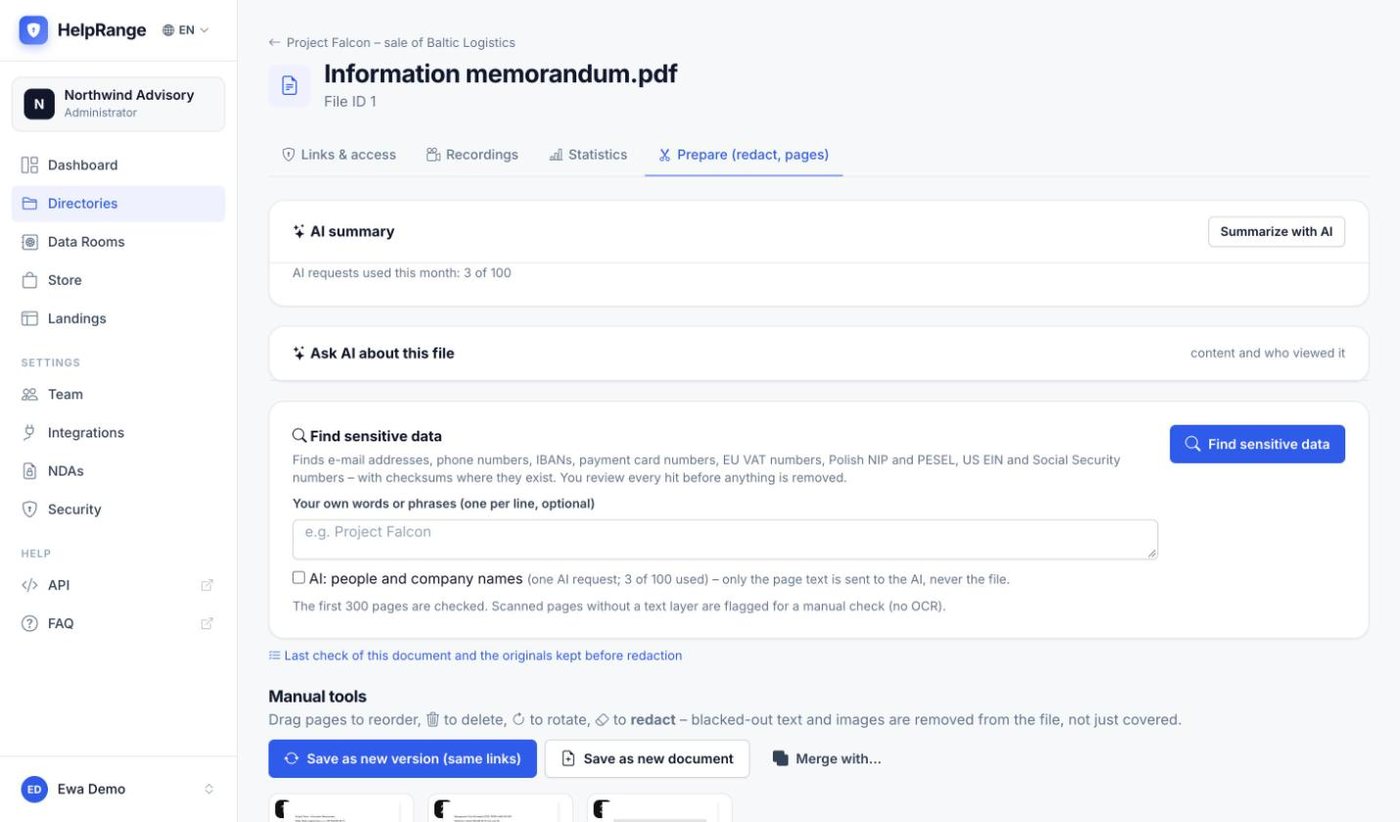
Find sensitive data in one click
In a document’s Prepare tab one button checks for every pattern. Add your own words and, if you like, let the AI list the names of people and companies.
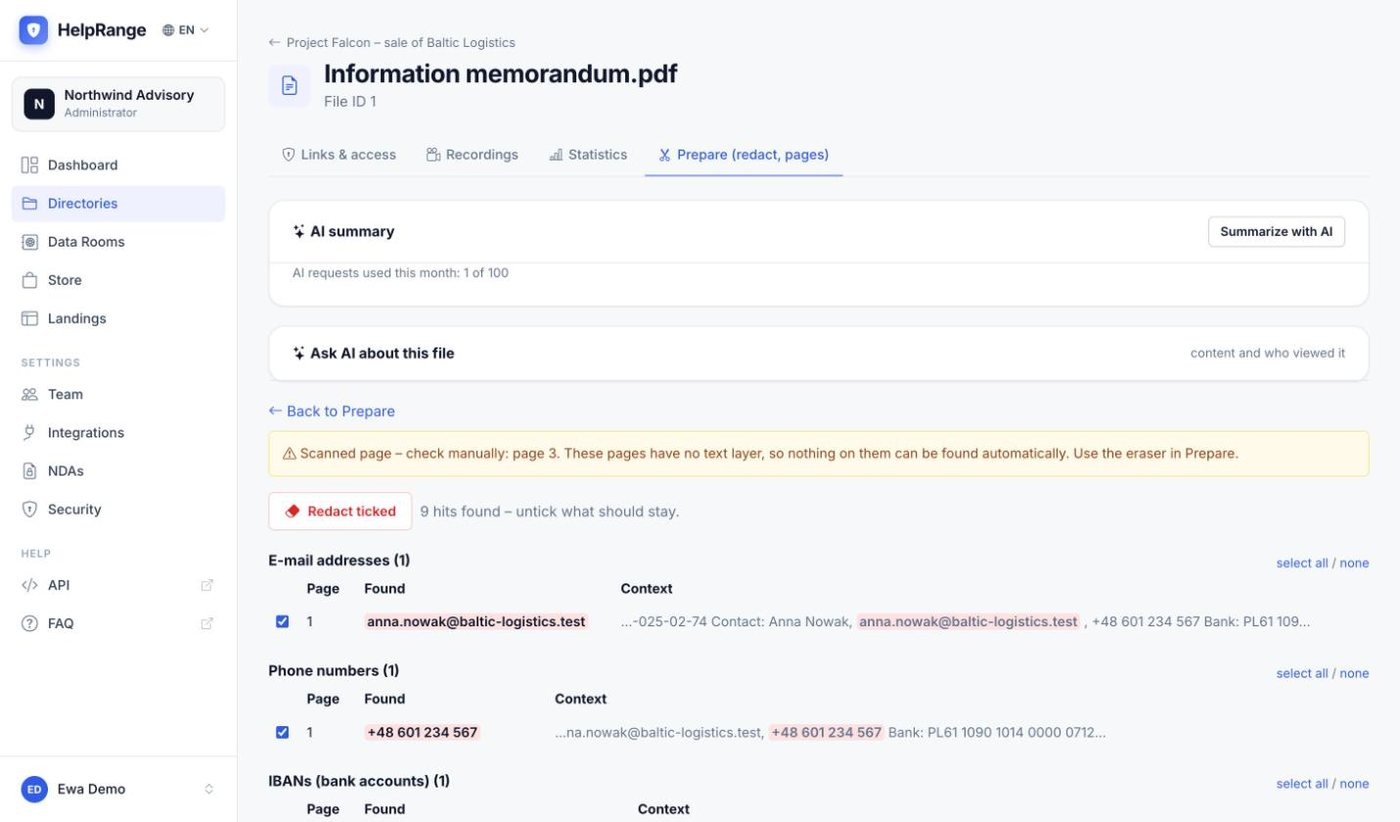
Review every hit before anything is removed
Hits are grouped by type, each with its page and the text around it. Untick what should stay; scanned pages are flagged for a manual check.
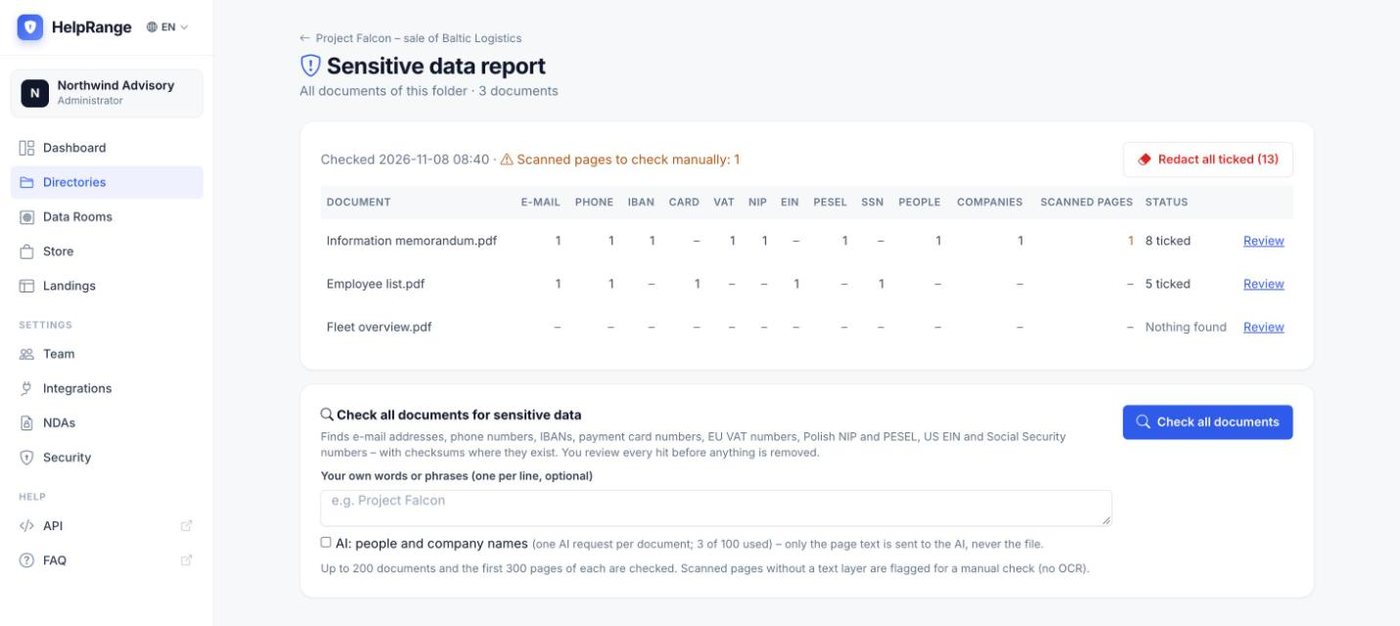
One report for a whole folder or data room
Every document with its hits by type. Redact all ticked hits in one go, or open a document to review it first.
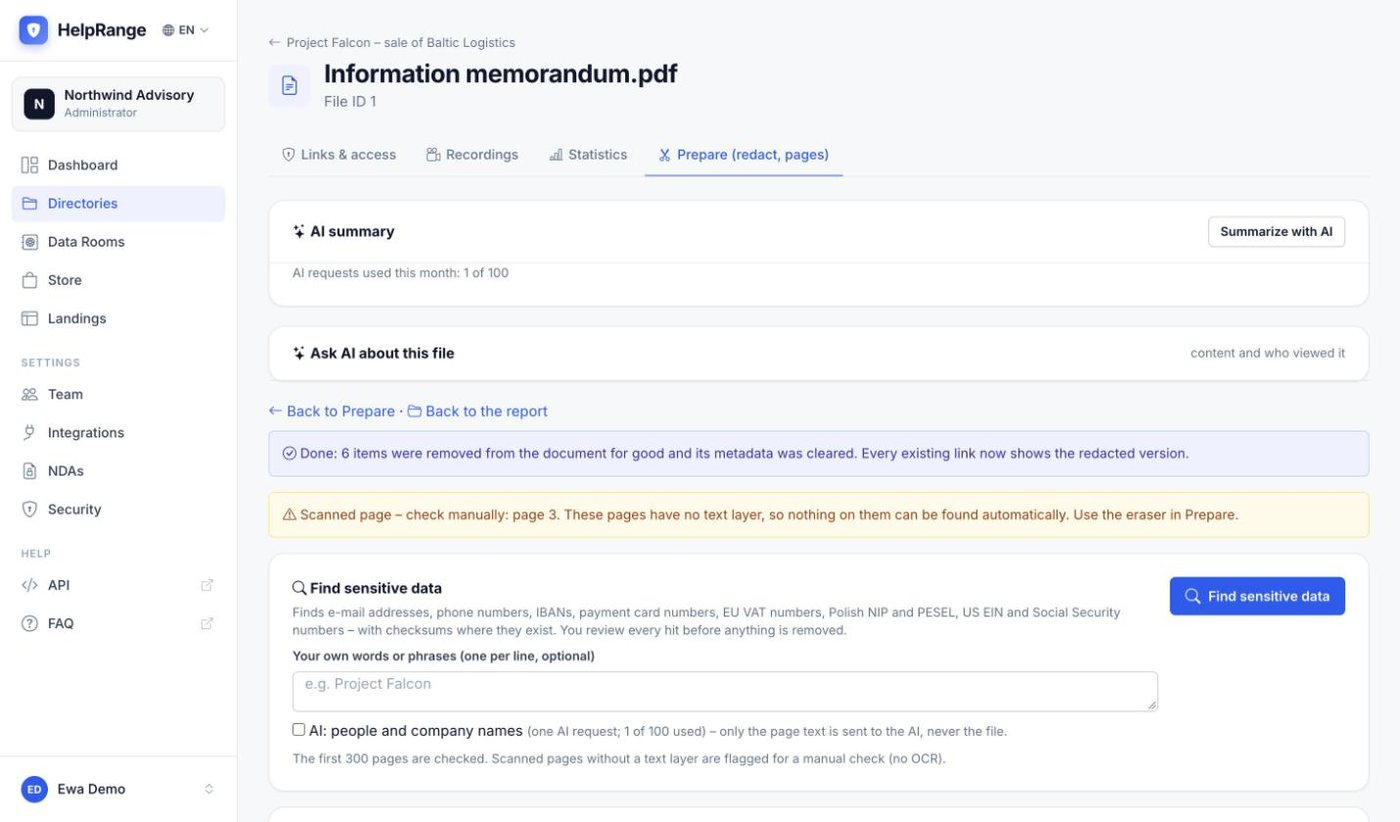
Removed for good – links keep working
The ticked text is deleted from the file and the metadata is cleared. Every existing link now shows the redacted version.
Open a folder or data room and click “Check all documents for sensitive data” – or “Find sensitive data” in a document’s Prepare tab.
Untick what should stay. Scanned pages are flagged for a manual check.
The ticked text is removed for good. The original is kept only for you.
Automatic redaction included in the $199 Deal Room Pass, the Unlimited plan ($174 per team per month) and the 3-day trial. Up to 200 documents per check and the first 300 pages of each. The AI name search uses one AI request per document (100 a month on Unlimited and the Pass). Plans & pricing
Automatic redaction – questions
Is the text really removed?
Yes. The text and the image pixels under each box are deleted from the PDF and the document metadata is cleared, so the redacted data cannot be copied, searched or recovered from the shared file.
What happens to the original?
It is kept under a separate key that no link points to. Only the file owner, the folder owner and team administrators can download or delete it.
Does it work on scanned documents?
Only on text the PDF contains. Pages without a text layer are flagged so you can check them and redact them by hand with the eraser in Prepare.
Which files can be checked?
PDFs and Office documents (Word, PowerPoint, Excel). An Office file is replaced by its redacted PDF version.
Try it on your own documents
3-day free trial, then a free plan. No credit card required.
Start free trial