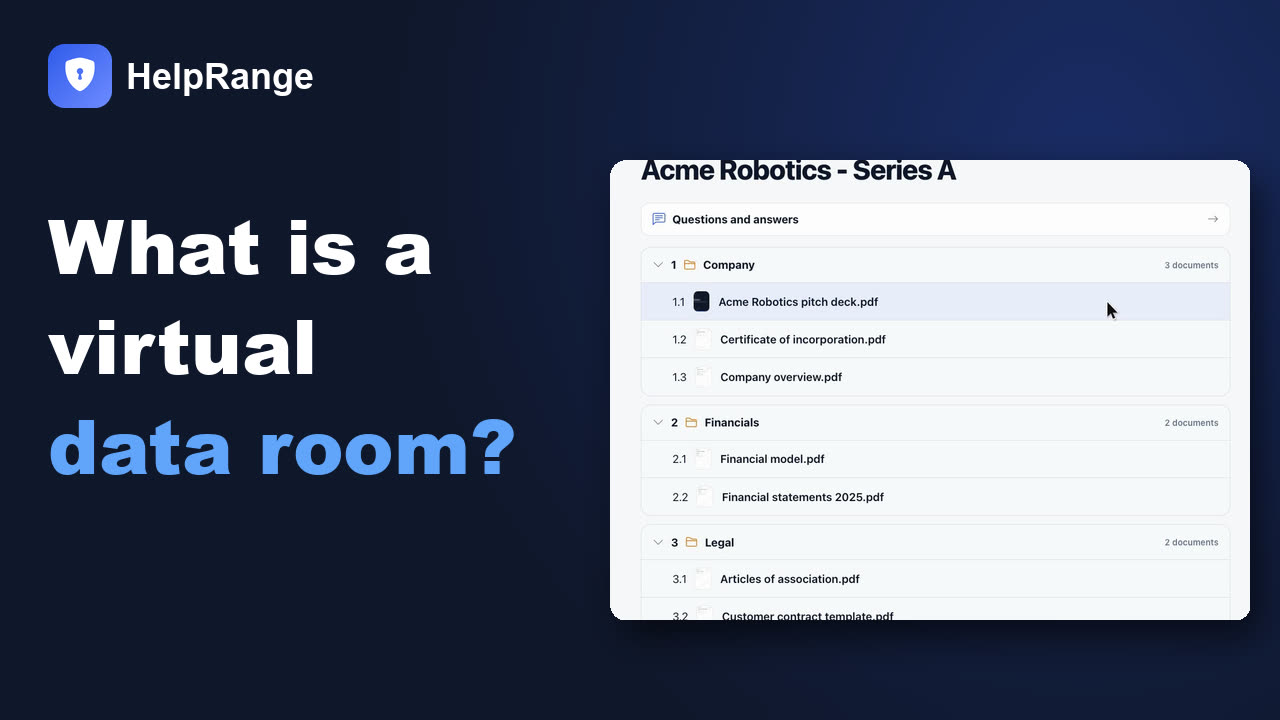
What is a virtual data room (VDR)?
VDR meaning: A virtual data room (VDR) is a secure online space where a company shares confidential documents with named outsiders – buyers, investors, auditors – for due diligence. Each guest is invited by name, sees only the folders they are allowed to see, and every page they open is logged.
Unlike a shared drive, documents can be kept from downloading, printing or forwarding, and each page carries the reader's e-mail as a watermark.
The demo is a sample Series A data room – open it without signing up. Updated 19 November 2026. Disclosure: HelpRange makes data room software.
Where the term comes from
Before the internet, a company being sold put its records in a physical data room – usually a locked room at its lawyers' office. Bidders booked time slots, read paper copies under supervision and were not allowed to copy anything. Only one bidder could be in the room at a time, and every visit meant travel.
The virtual data room moved that room online. The rules stayed the same – only invited people, only what they are allowed to see, nothing leaves the room, and a record of who looked at what – but bidders in different countries can now review the same documents in parallel, and a deal that needed months of site visits can close in weeks. That is why VDR, data room and deal room are used almost interchangeably today – deal room software is the same idea seen from the transaction side.
How a virtual data room works: a step-by-step tutorial
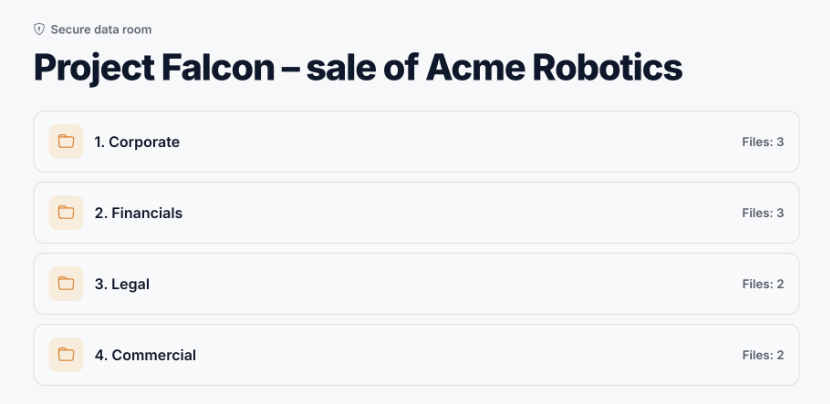
- Create the room and its index. The owner (seller, company or adviser) creates a room with numbered folders – for a sale typically corporate, financial, tax, commercial, legal, IP, employees, assets and IT. See the due diligence checklists for the folder lists.
- Upload the documents. PDFs, Office files, spreadsheets and video are uploaded once and shown in a browser viewer, so nobody needs the original file.
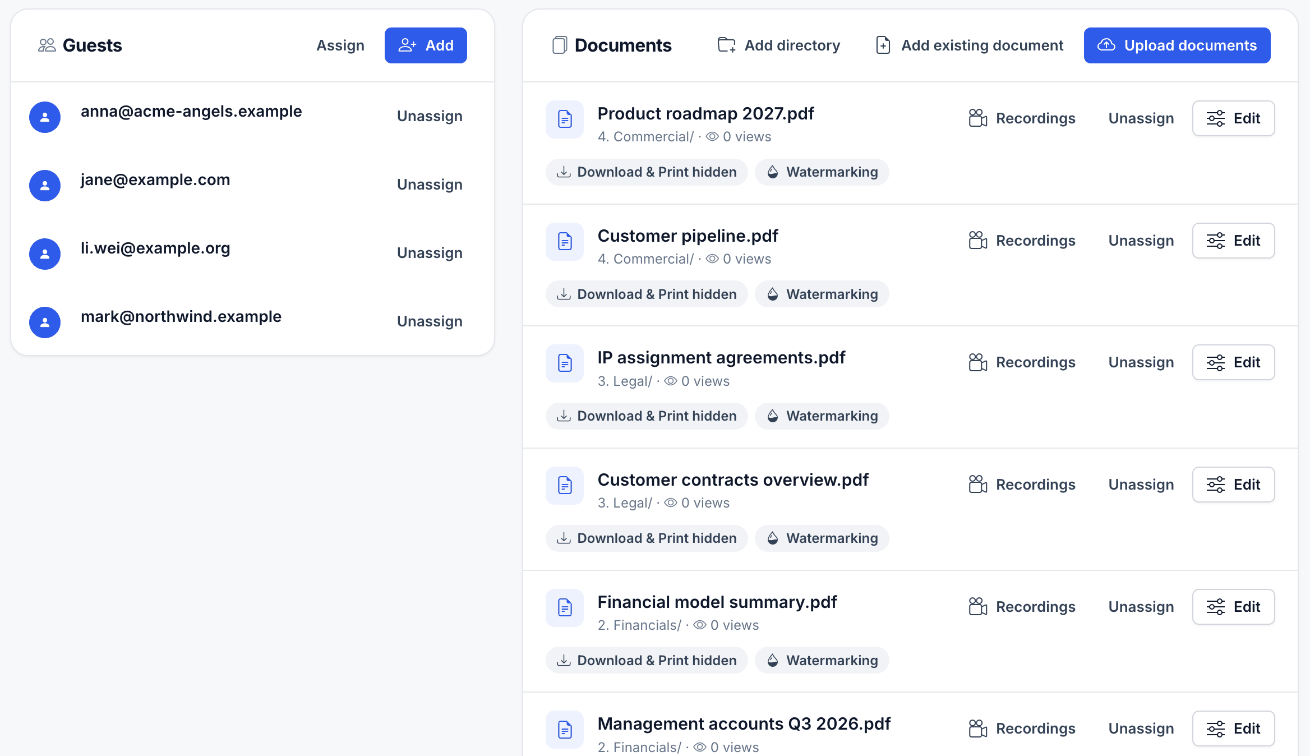
- Set the rules. Who may enter, which folders each guest or group sees, whether they must accept an NDA first, and whether documents are view-only, watermarked or limited in time.
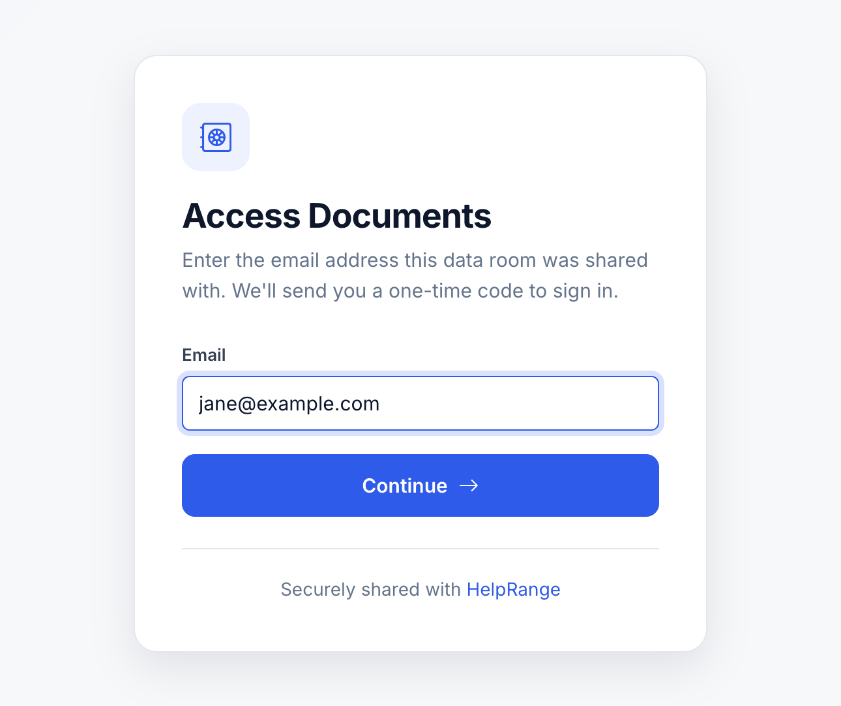
- Invite guests. Each buyer, investor or adviser gets an invitation, verifies their e-mail and accepts the NDA. Nobody shares a password.
- Answer and watch. Guests read and ask questions; the owner sees which documents and pages each guest opened and for how long, answers requests and adds files.
- Close. When the deal signs or ends, access is revoked and the room is archived as the record of what was disclosed.
What those steps look like in a real data room (screenshots from HelpRange, with a fictional deal):
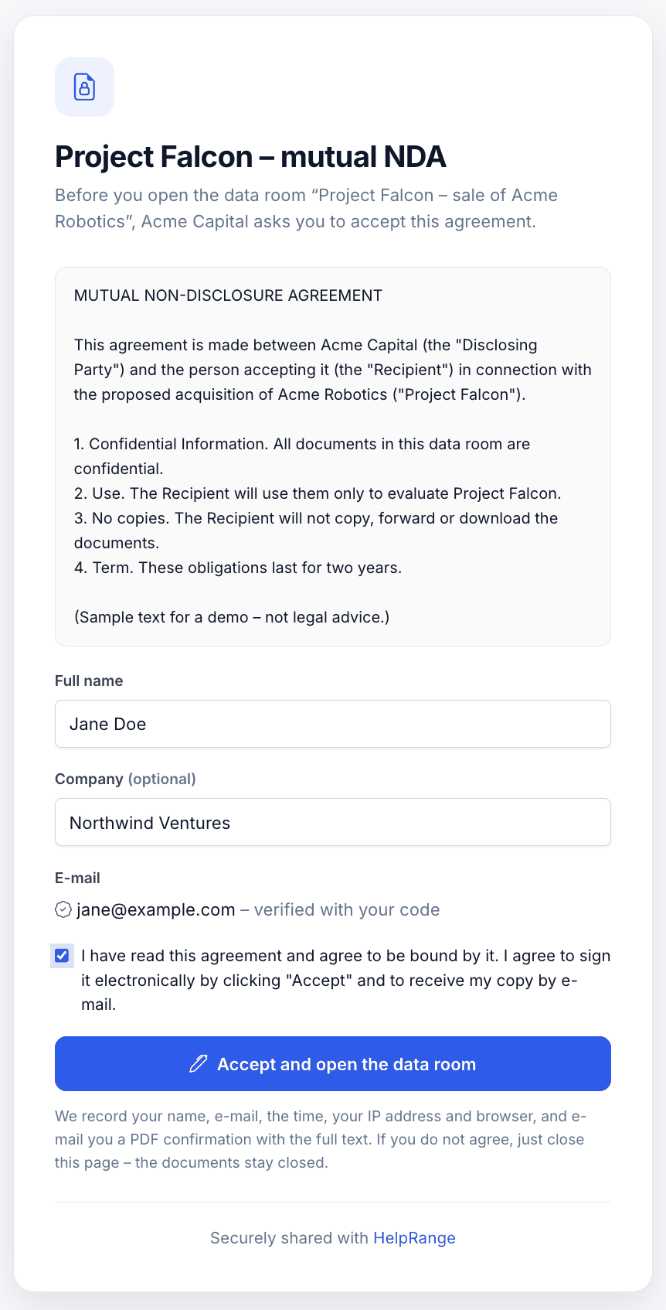
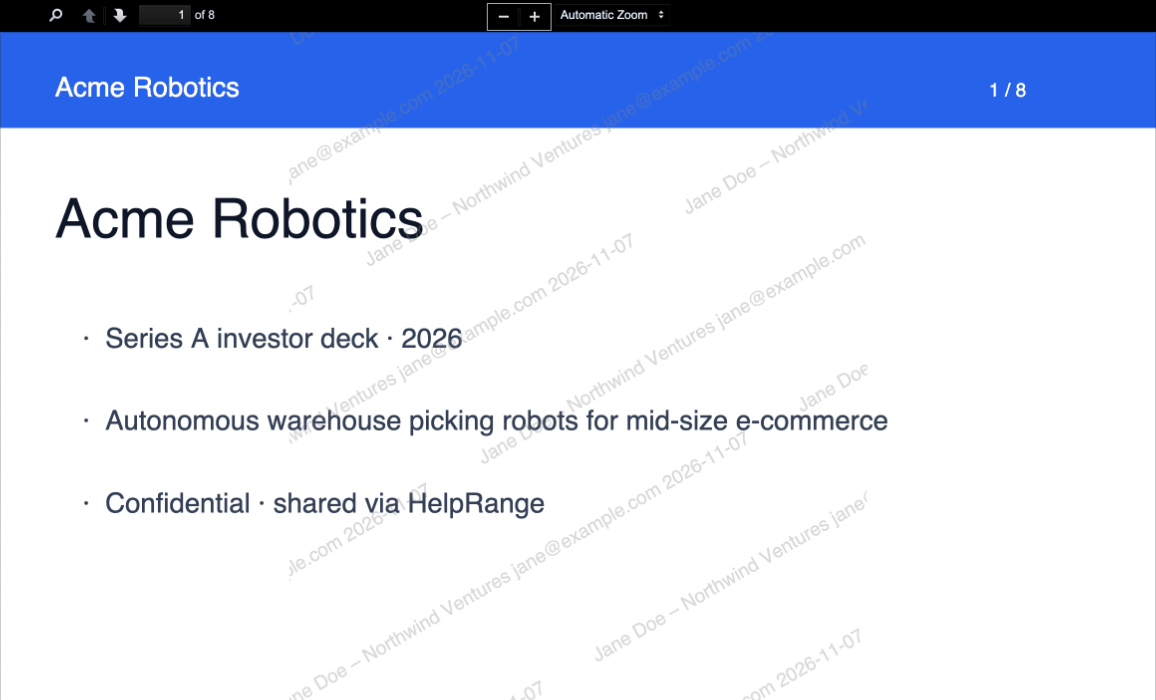
To follow the tutorial hands-on, open the live demo data room – a sample Series A room you can browse as a guest without signing up, view-only and watermarked. When you are ready to build your own room for a sale or a funding round, how to set up a data room takes you through 10 steps in the right order, with a numbered starter index, permissions per party and a readiness checklist.
A ready-made data room index: 9 folders, 72 documents
Step 1 above – the numbered index – is where most first-time sellers lose a week. This is the index of an M&A data room as buyers' advisers expect it, with the same numbering the HelpRange data room and our due diligence checklist tool use, so "see 2.4" means the same document from the first request list to the closing bundle. Download it, mark each line requested / collecting / uploaded / not applicable, and you have the project plan for the room.
Download the index template (CSV, 72 lines) Opens in Excel, Numbers or Google Sheets. Columns: index, folder, document, status, owner, uploaded on, notes. CC BY 4.0.
| # | Folder | Documents | Examples |
|---|---|---|---|
| 1 | Corporate | 10 | 1.1 Certificate of incorporation and any name-change certificates; 1.2 Current articles of association / bylaws; … |
| 2 | Financial | 11 | 2.1 Audited financial statements (last 3 years) with auditor letters; 2.2 Monthly management accounts (current and prior year); … |
| 3 | Tax | 7 | 3.1 Corporate income tax returns (last 3–5 years); 3.2 VAT / sales tax returns; … |
| 4 | Commercial | 8 | 4.1 Top 20 customer contracts; 4.2 Top 20 supplier contracts; … |
| 5 | Legal | 8 | 5.1 Pending and threatened litigation, with counsel's assessment; 5.2 Licences, permits and regulatory authorisations; … |
| 6 | Intellectual property | 6 | 6.1 Registered patents, trademarks, designs and domain names; 6.2 IP assignment agreements from founders, employees and contractors; … |
| 7 | Employees | 9 | 7.1 Organisation chart; 7.2 Key employment and executive service contracts; … |
| 8 | Real estate & assets | 6 | 8.1 Leases and property titles; 8.2 Fixed asset register; … |
| 9 | IT & data protection | 7 | 9.1 IT systems and architecture overview; 9.2 GDPR records of processing activities; … |
Not every deal needs the M&A index
The folder count and the documents behind it change with the kind of review. Counted from our eight due diligence checklists (each with its own CSV):
| Checklist | Folders | Documents | First folders |
|---|---|---|---|
| M&A due diligence | 9 | 72 | Corporate, Financial, Tax, Commercial |
| Legal due diligence | 8 | 57 | Corporate & ownership, Material contracts, Litigation & disputes, Regulatory & compliance |
| Financial due diligence | 7 | 43 | Historical financial statements, Quality of earnings, Revenue & customers, Costs & margins |
| Tax due diligence | 6 | 37 | Corporate income tax, Indirect taxes, Employment taxes, Transfer pricing & international |
| Real estate due diligence | 5 | 34 | Property, Leases, Financial, Legal |
| Startup fundraising due diligence | 5 | 34 | Company, Financials, Product & market, Team |
| SaaS due diligence | 8 | 47 | Corporate & cap table, Financials & SaaS metrics, Customers & contracts, Product & technology |
| Vendor due diligence | 6 | 37 | Company & ownership, Financial health, Information security, Data protection |
Counts taken from the checklists themselves on 19 November 2026, so the numbers here are the numbers there. A fundraising room is half the size of an M&A room because investors test the business and the cap table, not every lease and permit.
What virtual data rooms are used for
| Use | Who opens the room | Typical contents |
|---|---|---|
| M&A due diligence | Buyers, their lawyers and accountants | Corporate records, financials, tax, contracts, IP, employees, IT |
| Fundraising | Investors (angels, VCs, PE) | Pitch deck, financial model, cap table, customer metrics, key contracts |
| Real estate and asset sales | Buyers, lenders, valuers | Title, leases, surveys, permits, rent rolls, technical reports |
| Financing and audits | Banks, auditors, rating agencies | Statements, covenants, collateral, compliance evidence |
| Litigation and investigations | Opposing counsel, experts, regulators | Disclosed documents, expert reports, correspondence |
| Licensing, tenders, partnerships | Licensees, bidders, partners | Technical files, specifications, pricing under NDA |
Guides for the most common cases: data room for due diligence, M&A data room, fundraising data room, real estate data room and data room for business brokers.
Features that matter in a virtual data room
| Feature | Why it matters |
|---|---|
| Access by named person | Each guest proves their e-mail address; no shared passwords that travel with a forwarded link. |
| NDA before access | Guests accept the confidentiality terms before the first document opens, with a record of who, when and from where. |
| Folder and document permissions | Bidders in an auction must not see each other, and the most sensitive files can be released last. |
| View-only documents | Download and print can be turned off; documents open in the browser without plugins. |
| Dynamic watermarks | The viewer's e-mail, date and IP on every page – the main deterrent against screenshots and photos. |
| Activity analytics | Who opened which document, which pages, for how long – it shows which bidder is serious. |
| Q&A and requests | Questions and document requests tied to the index, so nothing is answered twice by e-mail. |
| Index and versions | A numbered folder index and replaced files keep everyone on the same version. |
| Revoke and close | Access ends at any time, and the room can be archived for the record when the deal closes. |
For the day-to-day side – structure, permissions, Q&A and closing the room – see data room best practices.
VDR vs Google Drive, Dropbox and e-mail
Cloud drives are built for working on your own files; a data room is built for showing files to outsiders under control. The difference shows up in six places:
| Need | Virtual data room | Cloud drive | E-mail attachments |
|---|---|---|---|
| Identity of each viewer | Verified per person | Anyone with the link, or a Google/Microsoft account | Whoever the e-mail is forwarded to |
| NDA before the first document | Built in | No | No |
| Stop download, print, forwarding | Yes | Partly (download can be turned off for some files) | No – the file is sent |
| Watermark with the viewer's e-mail | Yes, on every page | No | No |
| Which pages each person read | Yes | At most "viewed" or "downloaded" | No |
| Take access back after sending | Yes, at once | Yes for the link; downloaded copies stay | No |
A drive is fine for a friendly early conversation. Once several bidders or investors are involved, or the documents include customer lists, salaries or pricing, a data room is the safer tool. More: using Dropbox as a data room and Google Drive vs Dropbox as a data room.
What a virtual data room costs
The price depends less on the headline number than on what the provider counts:
| Pricing model | Who uses it | What makes it grow |
|---|---|---|
| Per page | Traditional M&A providers | Grows with every scanned contract and draft |
| Per gigabyte | Storage-based plans | Grows with scans, videos and drawings |
| Per user or per admin | Many mid-market tools | Grows with your team and advisers |
| Per project | Quote-based providers, some one-deal offers | Fixed for one deal; renewals cost extra |
| Flat per team | HelpRange and a few others | Does not grow with pages, gigabytes or guests |
For a small team running data rooms for a year, providers that publish prices cost from about $835 to $4,200; quote-based M&A providers report medians of roughly $5,500–$25,500 a year. Prices of 15 providers with sources are in the data room pricing report, and its cost chart by pricing model prices your own deal on per-page, per-GB, per-user and flat pricing. Looking for something free? See what free virtual data rooms really include.
How to choose a virtual data room
- How many deals, for how long? One sale or round of a few months is cheapest on a per-deal price; rooms open all year suit a flat subscription.
- Who counts as a user? Check whether advisers, bidders and investors are charged, and whether guest numbers are capped.
- What does the guest need? Browser-only access without installing anything, on a phone too, in their language.
- Which controls are must-haves? NDA before access, watermarks, view-only documents and per-folder permissions cover most deals; regulated industries may also need IP restrictions and redaction.
- Do you need services? Large auctions buy project managers, 24/7 support and bulk indexing – that is what the expensive providers charge for.
Providers compared side by side: best virtual data rooms in 2026.
Setting up a virtual data room in HelpRange
The HelpRange virtual data room (and secure document sharing) comes at one price per team, with unlimited users and guests.
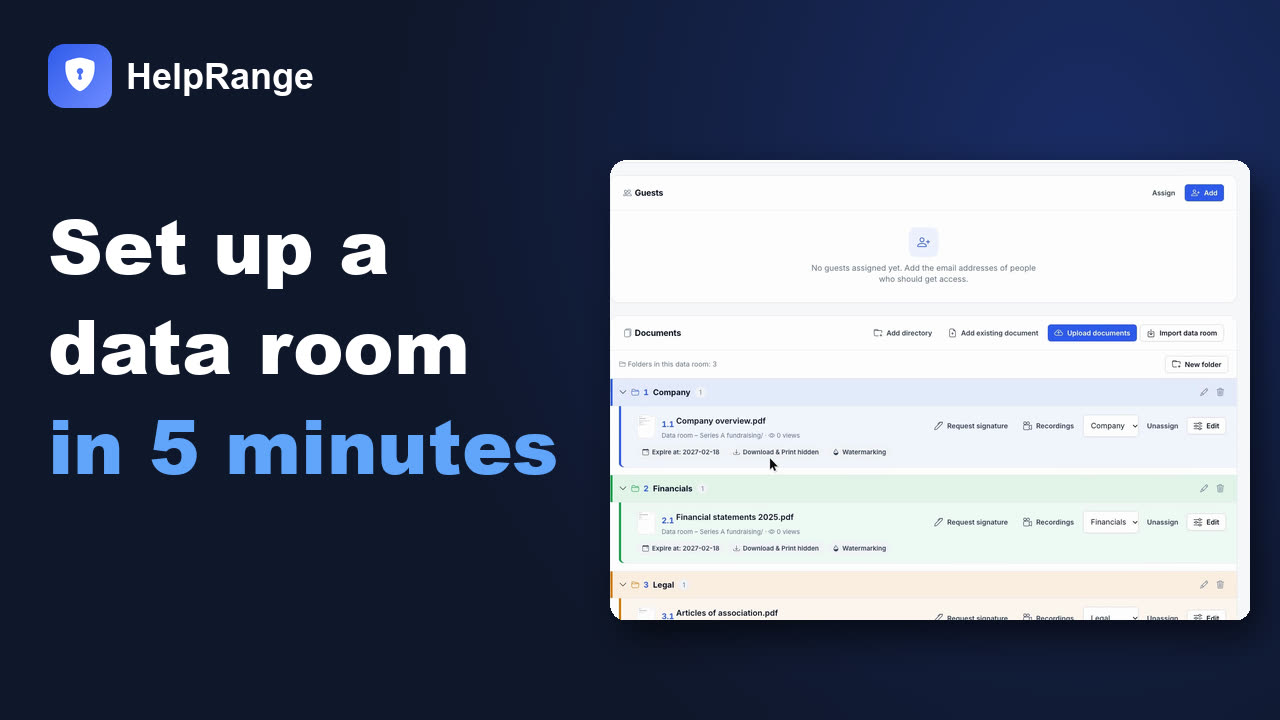
- One deal: the Deal Room Pass – $299 once for 90 days, no subscription.
- Rooms all year: Max $87 per team a month – unlimited data rooms, click-to-sign NDA before access, request-access links, document acknowledgement and automatic redaction. Unlimited ($174) adds a custom domain.
- Smaller needs: Pro $39 per team a month includes up to 3 basic data rooms (without NDA).
- On every room: e-mail verification, watermarks with the viewer's e-mail, view-only documents and page-by-page analytics.
Virtual data room – frequently asked questions
What does VDR stand for?
VDR stands for virtual data room: an online, access-controlled place to share confidential documents with people outside the company. "Virtual" because it replaced the physical data room – a locked room at a law firm where bidders read paper copies under supervision. The same thing is also called an online data room, an electronic data room (e-data room or EDR) or a virtual deal room.
What is a virtual data room used for?
Mostly for due diligence in mergers and acquisitions, fundraising rounds, real estate and asset sales, financing and audits, litigation, licensing and tenders – any time confidential documents must be reviewed by outsiders for a limited time.
Is a virtual data room the same as Google Drive or Dropbox?
No. Cloud drives are built for working on your own files. A data room is built for showing files to outsiders under control: an NDA before access, per-person and per-folder permissions, view-only documents with watermarks, page-level activity logs and an end date. Many small deals start in a drive and move to a data room when buyers or investors get serious.
Are virtual data rooms secure?
A good one is: encrypted storage, access only after e-mail verification, two-step login for the owner team, dynamic watermarks with the viewer's e-mail, download and print blocking, and the ability to revoke access at any time. No viewer can stop someone from photographing a screen, so watermarks and audit logs matter as much as blocking.
How much does a virtual data room cost?
Published prices for a small team running data rooms for a year range from about $835 to $4,200; quote-based M&A providers report medians of roughly $5,500–$25,500 a year, priced per page, per gigabyte, per user or per project. HelpRange: Max $87 per team a month with NDA before access, or $299 once for one deal (90 days).
Is there a free virtual data room?
Some providers offer free plans, usually with limits on storage, viewers or security controls (no watermarks or download blocking). The HelpRange Free plan covers tracked links, not data rooms; Pro includes up to 3 basic data rooms.
What is the difference between a data room and a deal room?
In practice the same thing: "deal room" stresses that the room exists for one transaction and closes when the deal does. Some vendors also use "deal room" for sales collaboration spaces shared with a customer.
Who sets up and pays for the data room?
The side that shares the documents: the seller (often through its M&A adviser or lawyers) in a sale, the company in a fundraising round. Buyers and investors are invited as guests and usually do not pay.