AI data room index generator
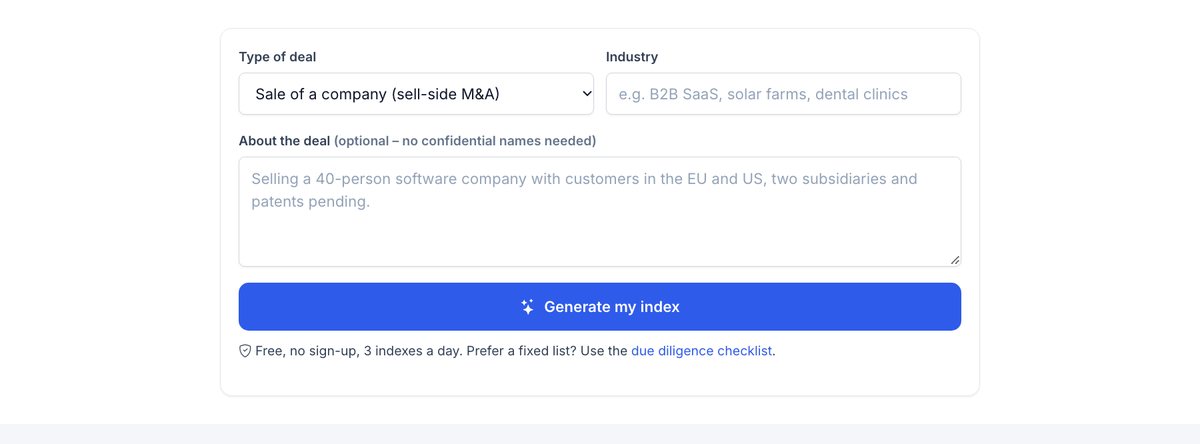
Pick the deal type, name the industry and describe the deal in a sentence. The AI builds a numbered folder index you can download as CSV.
How it works
Pick the deal type and industry
For example a sell-side M&A process for a B2B SaaS company.
Describe the deal in a sentence
Anything unusual: several entities, regulated activities, real estate, a carve-out.
Get a numbered index
Folders and documents tailored to the deal, ready to download as CSV.
Turn this index into a data room in minutes
Create the folders in a HelpRange data room, invite buyers or investors with an e-mail code, require your NDA, and see which documents each party reads.
A good index is agreed early: it tells the other side what to expect, keeps questions organised and makes the room easy to navigate. Review the generated index with your advisers and remove what does not apply.
Why the index matters
The index is the table of contents of a data room. A clear, numbered structure lets buyers and investors find documents without asking, makes Q&A references precise (“see 5.2.3”) and shows the other side that the company is organised. The generator starts from the standard structure for the deal type and adds folders that fit the industry and the details you give – licences for regulated businesses, property schedules for real estate, clinical data for biotech.
Making it yours
- Check every folder with your advisers – the AI suggests, it does not know your company.
- Keep the top level to 8–12 folders; go deeper inside them.
- Mark documents that will only be shared in a later phase, such as customer contracts in a competitive sale.
- Number the pages of long PDFs with page numbers so references stay valid.
Prefer a fixed list? Use the due diligence checklist.
Example
For “sell-side M&A, dental clinics, 14 practices in two countries” the index adds folders for practice licences, dentist contracts, lease agreements per site and the regulator’s inspection reports next to the standard corporate, financial, tax and HR folders.
AI data room index generator – questions
How is it different from the checklist?
The checklist is a fixed list you tick. The generator adds folders specific to your industry and deal – e.g. clinical data for biotech or leases for real estate.
Is it free?
Yes – 3 indexes a day per person, no sign-up.
Is my description stored?
Only a usage counter is kept for the daily limit; the description is sent to the AI for this answer and not stored by HelpRange.