Share Excel as a real spreadsheet – not as a file
Send a link instead of the .xlsx. Your reader sees the workbook in the browser – sheet tabs, the frozen header row, column widths, number and date formats – with their e-mail across the sheet. There is no file to download, print or copy, and you see which sheets they read and for how long.
A spreadsheet, not a picture of one
Sheet tabs at the bottom, the frozen header row, column widths, merged cells, number and date formats – the way the workbook looks in Excel.
Values, never formulas
Readers see the results Excel saved, not the formulas behind them, so the logic of your model stays with you. Hidden sheets, rows and columns are not shown.
Watermarked with the reader’s e-mail
Switch on the watermark and the reader’s e-mail, the date and the time are tiled over the sheet, so every screenshot names its source.
No download, print or copy
With downloading off the file never reaches the reader: rows are sent to their browser a page at a time, and printing and copying are blocked.
Time spent on every sheet
Each sheet tab counts as a page in the statistics: see whether an investor spent four minutes on the P&L and none on the cap table.
Update without resending
Upload a new version of the workbook and the same link shows it.
What your reader sees – and what you see
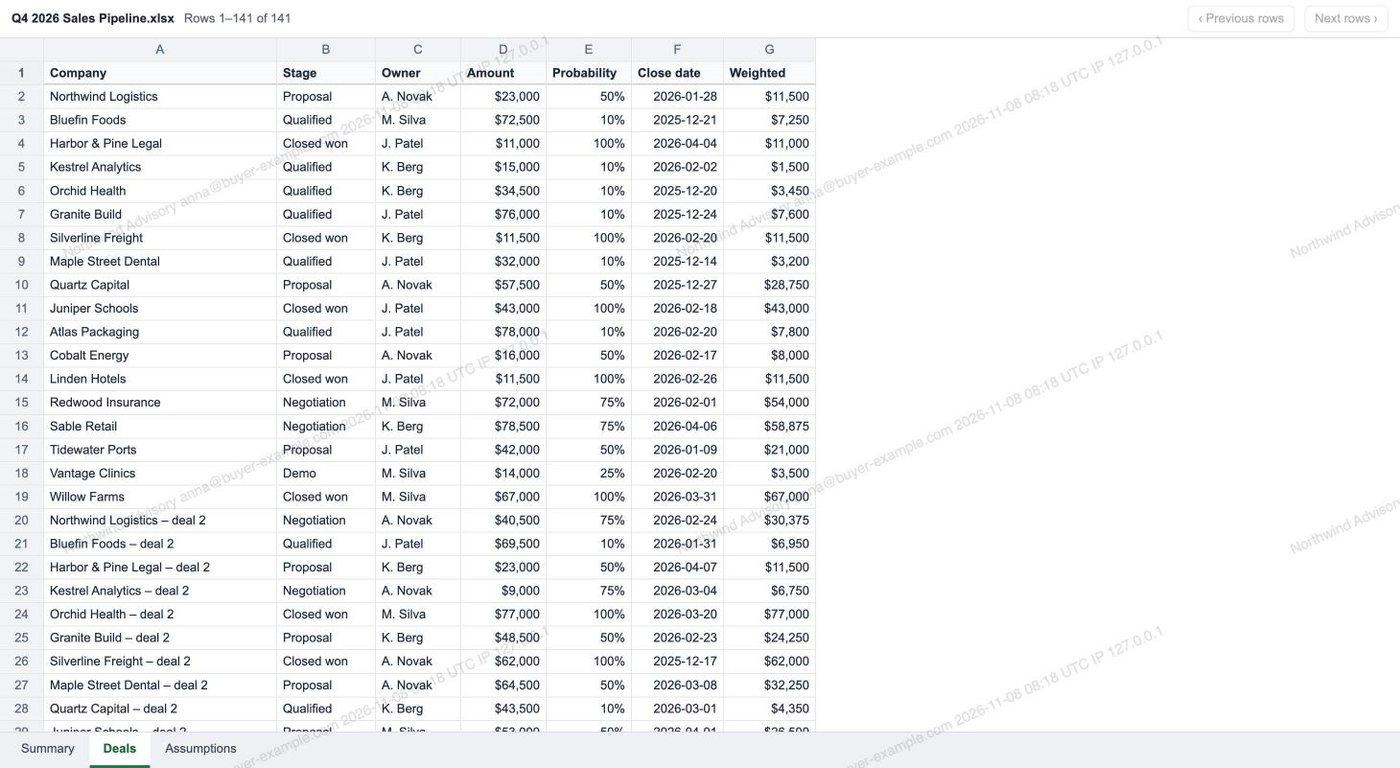
The sheet, watermarked with the reader’s e-mail
Tabs at the bottom, the header row frozen while scrolling, and the reader’s e-mail with the date and time across the whole sheet.
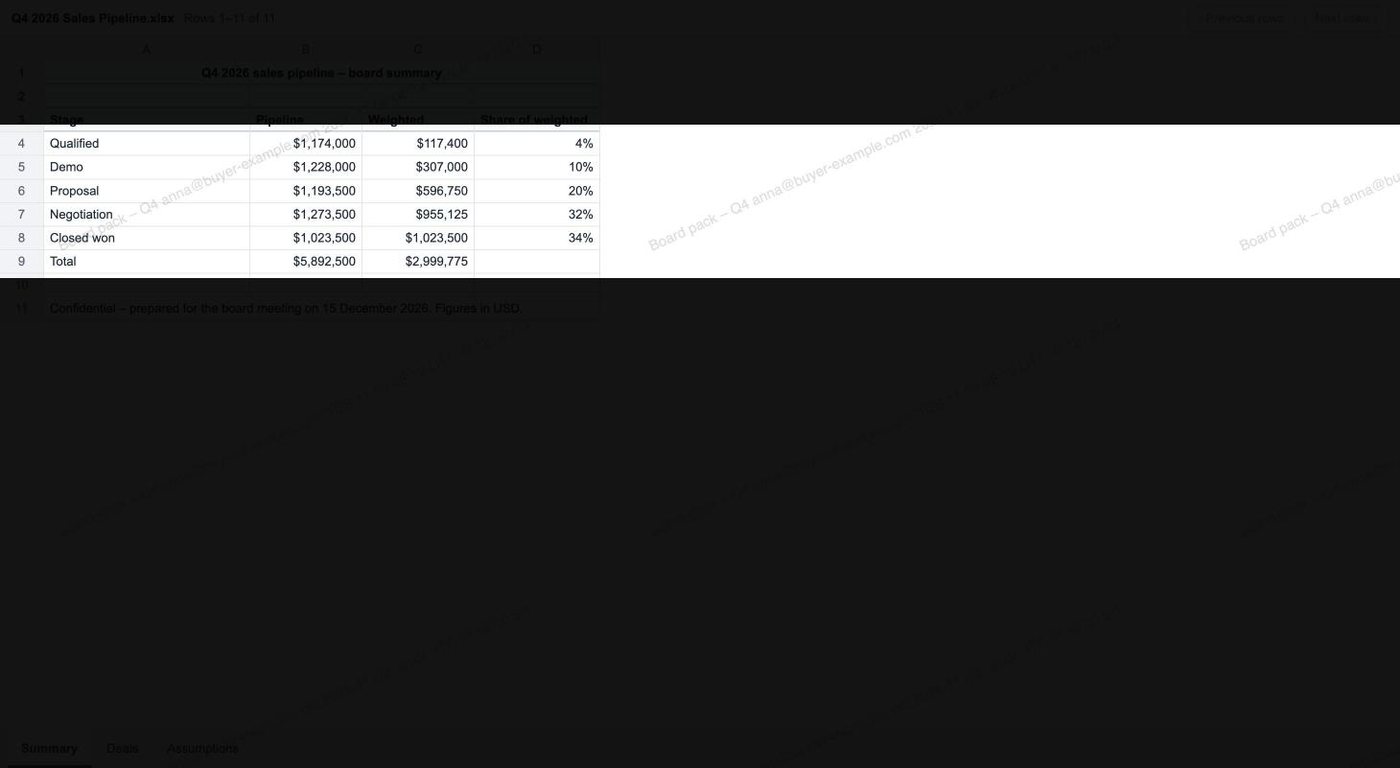
Screenshot mask
Optionally, only a band of rows around the pointer is readable at a time, which makes a screenshot of the whole sheet hard to take.
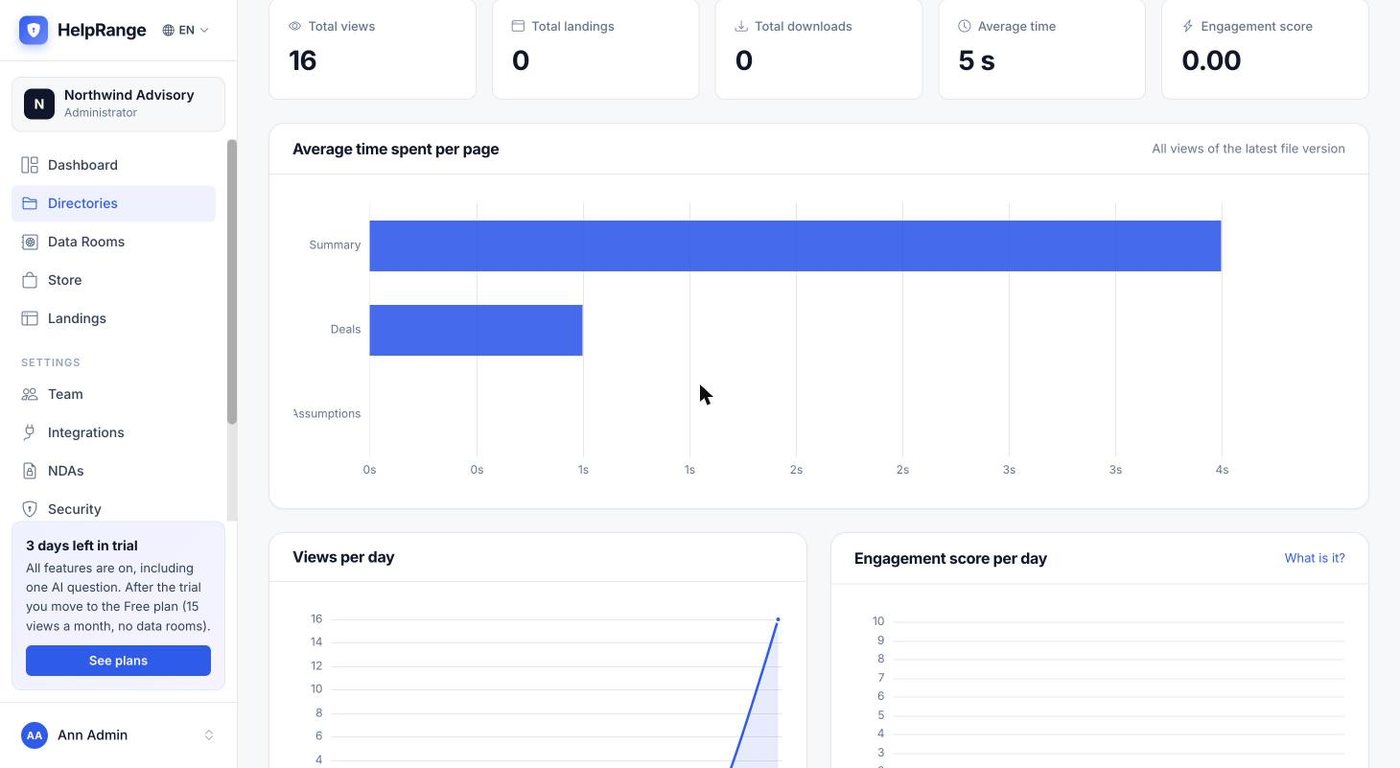
Time spent on each sheet
The statistics name every sheet, so you see which parts of the workbook were read and for how long.
Every protection of a HelpRange link
Know who opens it
Ask for an e-mail confirmed with a code, or a passcode, before the sheet opens.
NDA before the first row
The reader signs your NDA online before the workbook opens.
Expiry date and views limit
Set an end date or a maximum number of views, or let only one reader in at a time.
Revoke access instantly
Switch the link off and access stops – even for a sheet that is already open.
PDF pages when you prefer
Switch any link to PDF pages, or to image mode, where the reader gets only watermarked pictures of the pages.
Supported files and limits
| File | How the reader sees it |
|---|---|
| .xlsx and .xlsm | As a spreadsheet: tabs, frozen header row, column widths, merged cells, number and date formats |
| .csv | As a spreadsheet with one sheet |
| .xls (Excel 97–2003) and .ods | As PDF pages, with the same protections |
| Workbooks over 20 MB | As PDF pages, with the same protections |
| Size of a sheet | The first 5,000 rows and 100 columns of each sheet; the viewer says when a sheet is cut |
| Not shown | Charts, images, comments and conditional-formatting colours |
Drag the .xlsx, .xlsm or .csv into a folder – the link is created with the upload.
Leave download and print off, switch on the watermark, ask for an e-mail or a passcode, and add an expiry date or an NDA if you need one.
Send it instead of the attachment, then see who opened it, which sheets they read and for how long.
The spreadsheet viewer works on every plan, Free included (15 views a month). Watermarks, download and print blocking, passcodes, e-mail verification and expiry dates: Pro, $39 per team per month. NDA before opening and the screenshot mask: Unlimited ($174 per team per month), the $199 Deal Room Pass and the 3-day trial. Plans & pricing
Excel viewer – questions
Which files open as a spreadsheet?
.xlsx, .xlsm and .csv. Older .xls (Excel 97–2003) and .ods files open as PDF pages with the same protections, and so do workbooks over 20 MB.
Can readers see my formulas?
No. The viewer shows the values Excel saved with the file, never the formulas. If you allow downloading on the link, the reader gets the original workbook – formulas included.
How big can a sheet be?
The viewer shows the first 5,000 rows and 100 columns of each sheet and tells the reader when a sheet is cut. Files over 20 MB are shown as PDF pages.
What is not shown?
Charts, images, comments and conditional-formatting colours. Values, number and date formats, column widths, merged cells and the frozen header row are shown.
Can readers download the file?
Only if you allow it on the link. With downloading off there is no download or print button and copying is blocked; with it on, readers get the original file.
Can I see which sheets were read?
Yes. Each sheet tab counts as a page in the statistics, with the time every viewer spent on it.
Does the reader need Excel or an account?
No. The workbook opens in the browser – there is nothing to install and no account to create.
Try it on your own documents
3-day free trial, then a free plan. No credit card required.
Start free trial