The Peony alternative with one price for the whole team
Peony is a data room and document sharing tool billed per admin. Teams compare it with HelpRange when more than one person creates rooms, or when they need watermarks, signed NDAs and single sign-on without the top plans.
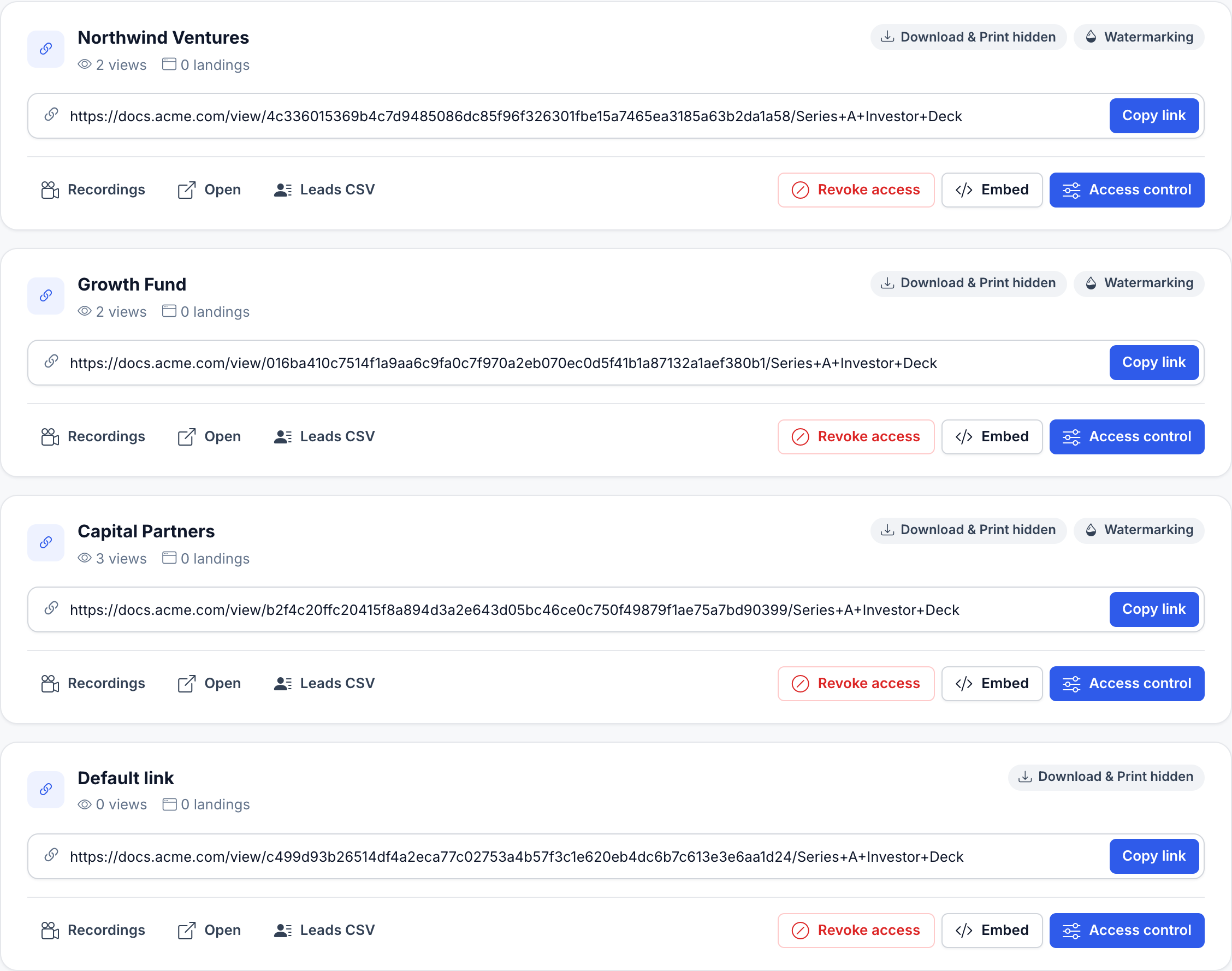
Your whole team, unlimited guests, one price. Or $199 for a single deal. No sales call.
Max is $87 a month for your whole team – data rooms, NDA before access, AI Q&A. The Deal Room Pass is $199 once for 90 days and never renews. Sign up and pay by card.
Thousands of companies (big and small) who trusted HelpRange include


Why teams switch from Peony
- Two or more people create rooms or send documents – Peony bills each admin
- You want a dynamic watermark on the first paid plan, not from the Data Room plan
- You need single sign-on without an Enterprise contract
- You want heatmaps and session replay, not only time per page
What you get with HelpRange
- Share only with specific email addresses, password and expiry
- Block downloading, printing and forwarding
- Dynamic watermark and screenshot protection
- Revoke access or update the file after sending
- Page-by-page analytics, heatmaps and alerts
- PDF, Word, Excel, PowerPoint and video in one viewer
A data room with watermark, signed NDA and Q&A
Peony Data Room: $75 a month for each admin (billed monthly) – $225 for 3 admins. HelpRange Max: $87 a month for your whole team ($69 billed yearly).
| HelpRange | Peony | |
|---|---|---|
| Dynamic watermark + signed NDA + data room Q&A | Max: $87 / month, whole team, unlimited data rooms | Data Room: $75 / month per admin ($52 billed yearly) |
| Single sign-on (SSO) | Included in Unlimited ($174 / month) and the Deal Room Pass: SAML 2.0, OpenID Connect, SCIM, single logout | Enterprise only, price on request (SAML, Google and Microsoft sign-in) |
| Entry plan | Pro: $39 / month, whole team | Business: $44 / month per admin ($30 billed yearly), 3 data rooms per admin |
| Free plan | Yes – 15 document views a month | Yes – 1 admin, up to 50 documents, no data rooms |
Peony prices read on peony.ink/pricing on 14 November 2026, in USD per admin; HelpRange prices from our pricing page. HelpRange pricing
What Peony and HelpRange cost for your team
Cheapest plan of each product that has the features you need, per month, billed yearly. Peony prices by the number of admins (viewers are free). HelpRange prices one plan for the whole team, any number of users. The lower price is in bold.
| What you need | 1 admin | 2 admins | 5 admins | 10 admins |
|---|---|---|---|---|
| Tracked links with page analytics | Peony: $30 Business plan HelpRange: $31 Pro |
Peony: $60 Business plan HelpRange: $31 Pro |
Peony: $150 Business plan HelpRange: $31 Pro |
Peony: $300 Business plan HelpRange: $31 Pro |
| Data rooms with dynamic watermark and signed NDA | Peony: $52 Data Room plan HelpRange: $69 Max |
Peony: $104 Data Room plan HelpRange: $69 Max |
Peony: $260 Data Room plan HelpRange: $69 Max |
Peony: $520 Data Room plan HelpRange: $69 Max |
| Data rooms with SAML single sign-on | Peony: on request Enterprise plan HelpRange: $139 Unlimited |
Peony: on request Enterprise plan HelpRange: $139 Unlimited |
Peony: on request Enterprise plan HelpRange: $139 Unlimited |
Peony: on request Enterprise plan HelpRange: $139 Unlimited |
- Billed monthly: Peony Business $44, Data Room $75 and Deal Team $89 per admin (Deal Team from 4 admins); HelpRange Pro $39, Max $87 and Unlimited $174 for the whole team.
- Peony is cheaper for one admin: $30 against $31 for tracked links and $52 against $69 for a data room with watermark and signed NDA. From two admins on, HelpRange is cheaper, because its price does not grow with the team.
- One deal only: the HelpRange Deal Room Pass is $199 once for 90 days with every feature, for any number of admins. Three months of Peony Data Room billed monthly are $225 for one admin.
Peony prices read on peony.ink/pricing on 14 November 2026, in USD per admin; HelpRange prices from our pricing page. peony.ink/pricing · HelpRange pricing
Which plan has which feature
Feature by feature. Information about Peony is based on its public pricing page and may change – please verify with the vendor.
| Features | HelpRange | Peony |
|---|---|---|
| Dynamic watermark | Every paid plan (from Pro) | Data Room plan and up |
| NDA gating and signing before access | Max, Unlimited, Deal Room Pass | Business: view and acknowledge; Data Room and up: signed NDA with a PDF and audit trail |
| Q&A in data rooms | Max, Unlimited, Deal Room Pass – with AI draft answers and document citations | Basic Q&A on Data Room; advanced Q&A on Deal Team (from 4 admins) |
| Screenshot protection | Max, Unlimited, Deal Room Pass | Business and up |
| AI | AI summaries, AI Q&A for guests with page citations and an AI deal assistant for data rooms | AI document Q&A from Business (more usage on higher plans); AI room generation on Data Room |
| Single sign-on for your team | SAML 2.0, OpenID Connect, SCIM and single logout – Unlimited and Deal Room Pass | Enterprise only |
| Custom branding | Logo and colors from Pro; custom domain on Unlimited | Logo and background from Business; custom domain from Data Room |
| Data rooms | Pro: 3 basic rooms; Max and Unlimited: unlimited | Free: none; Business: 3 per admin; Data Room and up: unlimited |
| Lock a link to the recipient’s device | Device limit per link on every plan, with an e-mail code from Pro; data rooms from Max | Not on Peony’s pricing page; Enterprise lists alerts for impossible travel and VPN or Tor access |
| Integrations | Slack, webhooks and Zapier; MCP server from Pro; REST API from Max | API and webhooks (also to Slack) on Deal Team and Enterprise |
| Who you pay for | One price for the whole team, any number of users | Each admin; viewers are free |
| Free plan and trial | Free plan (15 document views a month) and a 3-day trial of all features | Free plan (1 admin, 50 documents); 7-day trial |
| Certifications | No SOC 2 or ISO 27001 report yet | SOC 2 Type II and ISO 27001 audits under way, as Peony states |
| Offers, acknowledgement and AI | ||
| Document acknowledgement (“I have read and accept”) | Yes – per document and version, with a CSV log (Max, Unlimited, Deal Room Pass) | Terms or NDA before access, not per document [peony.ink] |
| Automatic redaction | Yes – Max, Unlimited, Deal Room Pass | Yes [peony.ink] |
| Excel shown as a spreadsheet | Yes – every plan | Not stated |
| Engagement score per recipient | Yes – 0–100 for every recipient | Not stated |
| Rows added on 8 November 2026. Competitor facts come from each vendor’s own website or help pages, read that day; “Not stated” means we did not find the feature there – check with the vendor. | ||
Guests verify their e-mail and sign your NDA before the first page – for data rooms and single links. E-signature from Pro
Send contracts for signature: e-mail code for every signer, audit trail and a sealed PDF. Data room activity
Who logged in, opens per day, reading time and session recordings for every room. AI summaries & data room Q&A
Guests ask questions, answers cite document and page. File requests & guest uploads
Clients upload into your folder or data room – you choose who sees the files. Slack alerts & webhooks
Know the moment a document is opened; Zapier, Make, CRM. Two-step login & Google sign-in
TOTP codes from authenticator apps, on every plan.
Pricing: Free plan (15 document views a month) · Pro $39/team/month for file sharing and e-signature · Max $87/team/month with data rooms, NDA, file requests and AI · Unlimited $174/team/month adds a custom domain · yearly billing about 20% cheaper. Compare plans
When Peony is the better choice
- You are the only admin: Peony Data Room is $52 a month billed yearly ($75 monthly), HelpRange Max $69 ($87 monthly).
- You want a free plan for documents: Peony Free keeps up to 50 documents with page analytics for one admin; the HelpRange free plan has 15 document views a month.
- You need features HelpRange does not have: AI that builds a data room for you, self-hosting or your own encryption keys (Enterprise).
- Your buyer’s security review asks about SOC 2 or ISO 27001: Peony states both audits are under way; HelpRange has no such report yet.
- A 7-day trial suits you better than the 3-day HelpRange trial.
HelpRange fits better when two or more people work in the account, when you want a dynamic watermark or single sign-on without the higher plans, page heatmaps and session replay, offer pages with “Accept offer”, links locked to one device, or a data room for a single deal.
More than Peony: analytics, control and one team price
Heatmaps, not only time on page
See where each reader focused on every page – the parts of your deck or offer that matter to them.
Per-page document metrics
Views, time per page, engagement score, downloads and the exact sessions of every viewer.
Complete control of access
Email verification, passcodes, expiry dates, views limits, revoking access and updating the file after sending.
Stop copying and leaks
Download & print blocking, dynamic watermarks, screenshot protection and no forwarding.
Embed your PDF viewer
Put the protected viewer on your website and add your own widget or chat to it.
AI and data rooms included
AI summaries and Q&A, data rooms, file requests, Slack, Zapier and an MCP server for AI assistants.
Peony alternative – questions
What is the best Peony alternative?
HelpRange is a Peony alternative for teams with more than one admin: one price for the whole team, dynamic watermarks from the first paid plan, signed NDAs and Q&A in data rooms on Max ($87 per team per month, $69 billed yearly) and single sign-on without an Enterprise contract.
How much does Peony cost compared with HelpRange?
Peony charges per admin: Business $30, Data Room $52 and Deal Team $64 per admin per month billed yearly ($44, $75 and $89 billed monthly; Deal Team from 4 admins), Enterprise on request (peony.ink/pricing, 14 November 2026). HelpRange charges per team: Pro $39, Max $87 and Unlimited $174 per month ($31, $69 and $139 billed yearly), any number of users.
When is Peony the better choice?
For a single admin: Peony Data Room is $52 a month billed yearly against $69 for HelpRange Max. Peony's free plan also keeps up to 50 documents with page analytics, and Peony lists unlimited storage, AI room generation, self-hosting and bring-your-own-key encryption on its higher plans. From two admins on, HelpRange costs less.
Does Peony have single sign-on?
Peony lists Google and Microsoft sign-in and SAML SSO only on its Enterprise plan, with prices on request. HelpRange includes SAML 2.0, OpenID Connect, SCIM and single logout in Unlimited ($174 per team per month) and the Deal Room Pass.
Can I lock a link to the recipient's device?
Yes. Set the link's device limit to 1 and turn on e-mail verification: the recipient confirms a one-time code sent to their address, and the link then opens only on the device that opened it first. A device is a browser with a HelpRange cookie, so a different browser, a private window or cleared browser data counts as a new device. Device limits on links are on every plan; on data rooms from Max.
Can I try HelpRange before switching from Peony?
Yes. Start a free trial without a credit card, upload your documents (PDF, Word, Excel, PowerPoint, video) and invite viewers to test every feature.
Try HelpRange as your Peony alternative
Upload your documents, invite viewers and see every feature in the free trial – no credit card required.
Start free trialUpdated