Send a self-destructing PDF
Drop a PDF and get a link that destroys itself once it has been read – by default after 1 view or 24 hours. Then the link is dead and the PDF is deleted from our server.
How it works
Drop your PDF
Up to 5 MB and 30 pages. Type your e-mail – we send a one-time code instead of asking for an account.
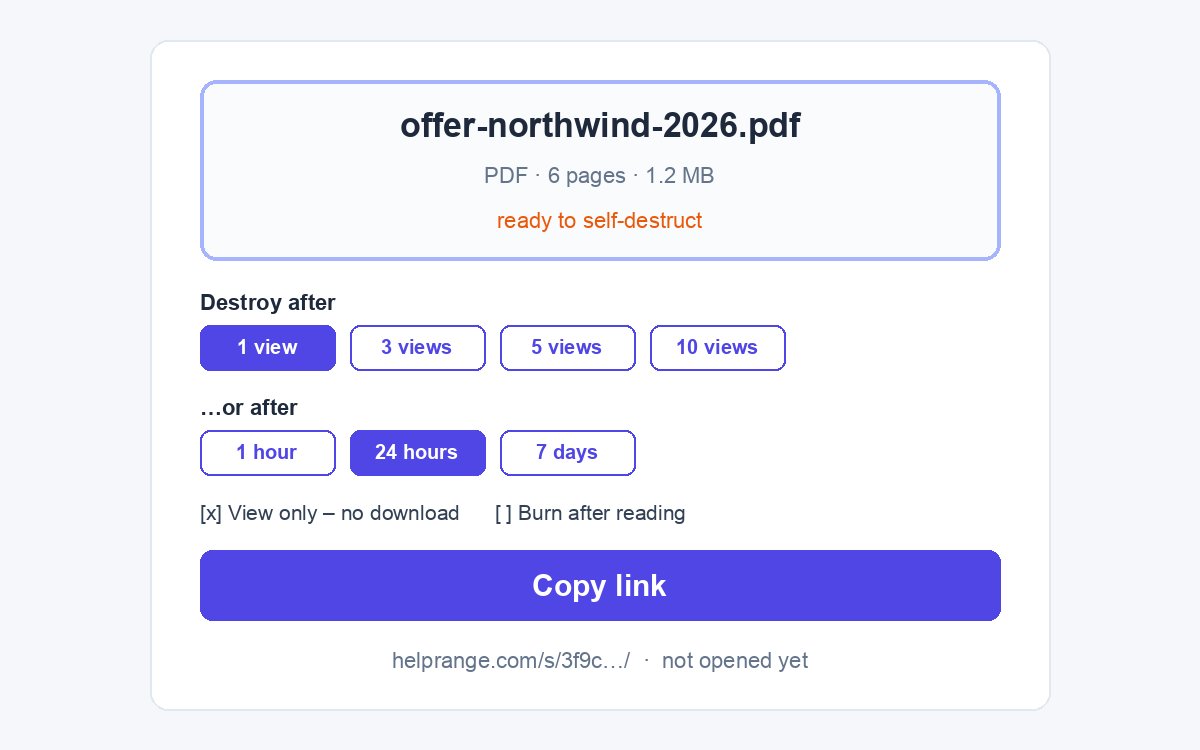
Keep the default or change it
By default the link self-destructs after 1 view or 24 hours, and readers cannot download the file. Under More options: 3, 5 or 10 views, 1 hour or 7 days, burn after reading.
Copy the link
Send it by e-mail, chat or text message. Your private status page shows whether it has been opened yet.
Self-destruct, plus tracking, watermark and NDA
HelpRange links expire on a date or after a number of views – and also show who opened them and how long they read each page, stamp each reader's e-mail on every page, can require an NDA before access and can be revoked any time.
Some documents should not live forever in an inbox: an offer, a draft contract, a CV, access details, a medical letter. A self-destructing link gives the reader access for a moment and then removes the document, instead of leaving a copy that can be forwarded for years.
How a PDF can self-destruct
A PDF file cannot delete itself: once it sits in someone’s inbox or downloads folder, it stays there. A self-destructing PDF works the other way round – the document stays on our server and the reader gets a link to look at it. When the number of views or the time you chose runs out, the link stops working and the PDF itself is deleted, so nobody can open it again – not the reader, not someone they forwarded the link to.
Burn after reading goes one step further: the link opens once, and the file is deleted as soon as the reader leaves the page.
What it protects against – and what it does not
- It stops a link from being forwarded and opened again and again.
- It removes the document from the internet after it has done its job.
- With view only, there is no file to download and no text to copy.
- It cannot stop a screenshot or a photo of the screen, and it does not tell you who the reader was.
Need a fixed end date and more readers? Use the expiring PDF link. Want to know when it is read and which pages got attention? Send a tracked PDF. If a copy leaks anyway, a per-recipient watermark and the leak tracer tell you whose copy it was.
Send a self-destructing PDF – questions
Is the PDF really deleted?
Yes. When the limit is reached the file itself is deleted from our database – not just hidden. Only its name and the number of views stay, so your private page can show what happened.
What is burn after reading?
The link opens once, and the PDF is deleted as soon as the reader closes the page – at the latest 10 minutes after they opened it.
Can the reader keep a copy?
With view only (on by default) there is no download button and the pages are shown as images. A screenshot or a photo of the screen is always possible: a self-destructing link limits access, it cannot erase what someone has already seen.
Do I see whether it was opened?
Yes. Your private page – we e-mail you its link – says "not opened yet" or when it was opened and how many views are left. It does not say who; HelpRange shows each reader's e-mail and the pages they read.
What are the limits?
PDFs up to 5 MB and 30 pages, at most 7 days, 3 active links per e-mail address. You confirm your e-mail with a one-time code – no account needed.