Convert Markdown to PDF
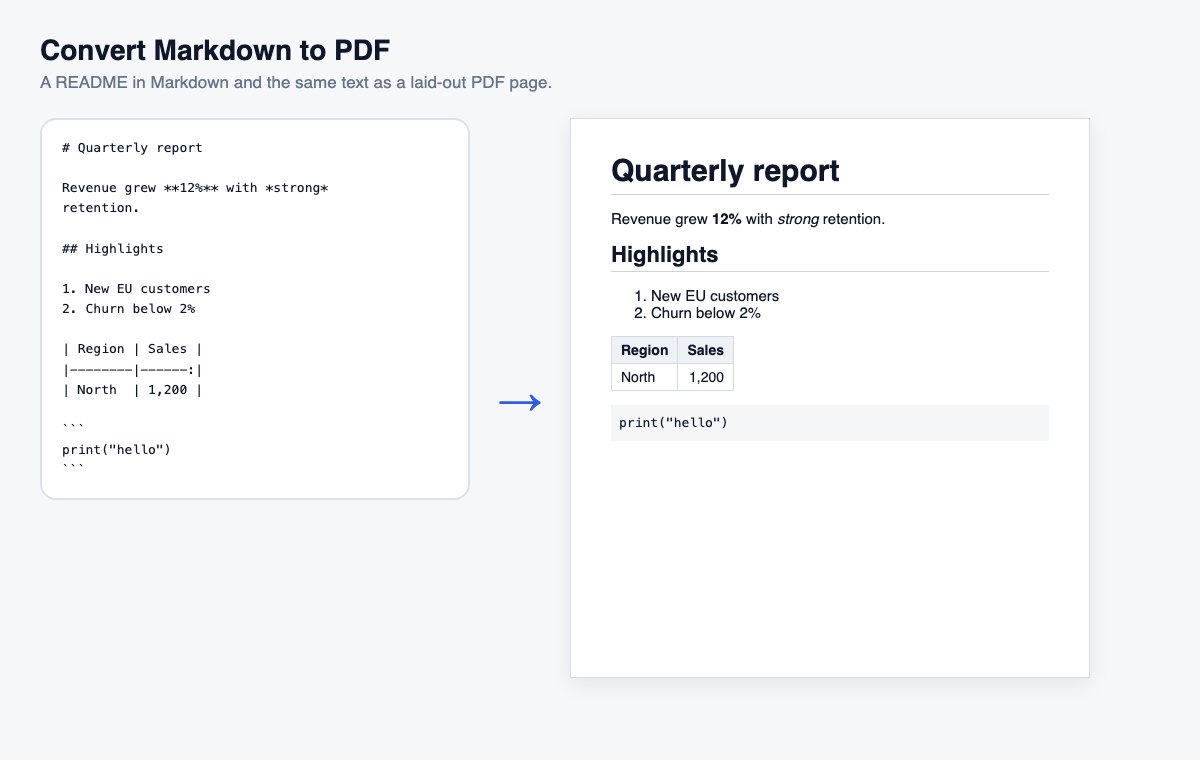
Paste Markdown or drop a .md file and download a clean, readable PDF – headings, lists, tables and code included.
How it works
Paste Markdown or drop a .md file
A dropped file is converted at once; for pasted text press the button.
Choose the page size if needed
A4 by default, Letter under “More options”.
Download the PDF
Headings, lists, tables and code laid out on clean pages.
Skip the conversion: share Office files directly
HelpRange opens Word, PowerPoint and Excel files in the browser with page analytics and watermarks – upload the original and send one secure link.
Markdown is how developers, writers and AI assistants write – README files, notes, specifications, answers from ChatGPT or Claude. A PDF is how the rest of the world reads and signs documents. Converting turns the plain text into properly laid-out pages you can send, print or attach.
Markdown in two minutes
# Title makes a heading (## a smaller one), **bold** and *italics* format words, a line starting with - or 1. starts a list, [text](https://…) is a link, and three backticks open and close a block of code. Tables are rows of cells between | signs with a line of --- under the header.
Long documents and special characters
The PDF uses A4 pages with comfortable margins (US Letter under “More options”) and breaks long tables across pages. Text in any of the site’s languages is supported, including Polish, Cyrillic, Chinese, Japanese, Korean, Thai and Amharic characters – the right font is picked for each character, and the text stays selectable and searchable in the PDF. Up to 200,000 characters can be converted at once, roughly 60 A4 pages. Links stay clickable. To add page numbers or merge the PDF with other documents, continue with another tool on the result screen.
Convert Markdown to PDF – questions
Which Markdown is supported?
The GitHub-flavoured basics: headings, bold, italics, strikethrough, inline code and code blocks, bulleted, numbered and task lists, tables, quotes, rules and links. Raw HTML is cleaned up for safety.
Are images included?
No – images are shown as their description. The converter never downloads anything from the internet, so a file cannot make our server fetch addresses it should not.
Do you keep my file?
Only for a short time: uploads are deleted right after processing, the result after 30 minutes – or at once with “Delete now”.