Automatic PDF redaction – find and remove personal data
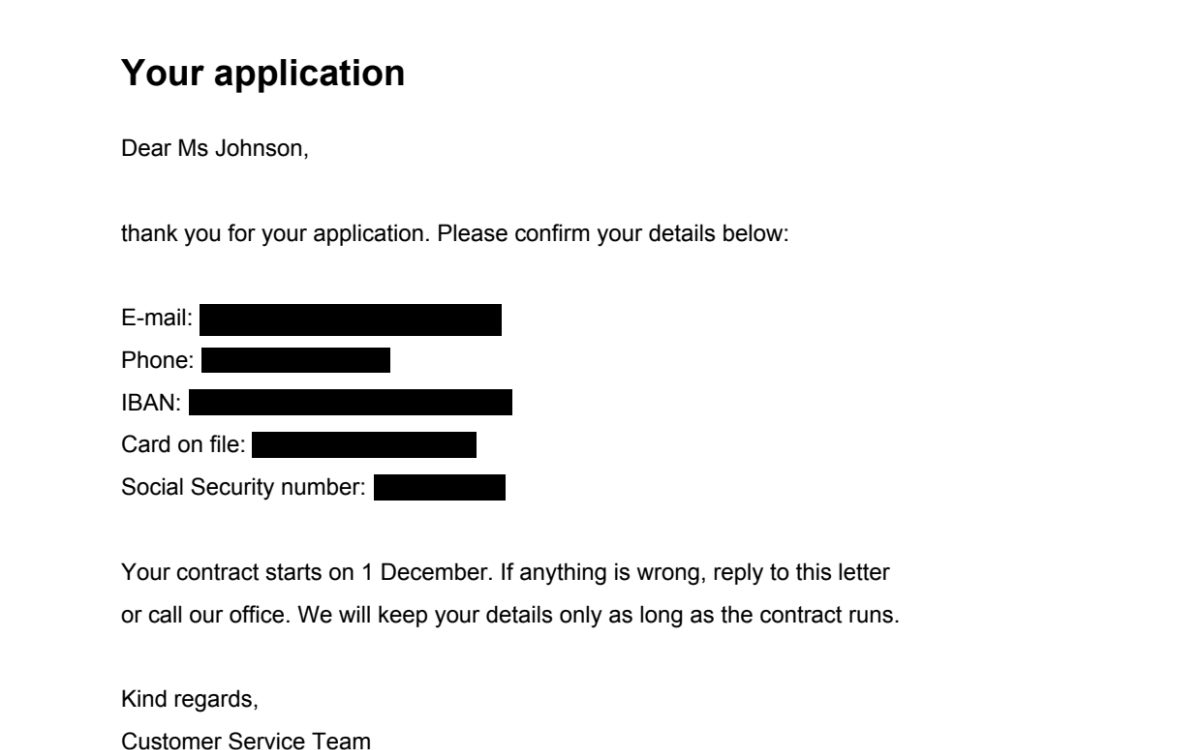
The tool finds e-mails, phone numbers, bank and card numbers, ID numbers and your own words in the PDF, lists every match for you to review and then removes the ticked ones from the file for good.
How it works
Choose your PDF
Up to 15 MB and 100 pages, with text (not a scan). The file is deleted within 30 minutes.
Pick what to look for
E-mails, phone numbers, IBANs, card numbers, SSN, PESEL, NIP, dates – plus your own words or patterns.
Review the matches
Every hit is listed with its page, type and a masked preview; untick what should stay.
Redact & download
The ticked text is deleted from the file, the metadata is cleared and we check that it is gone.
Do this inside your data room
HelpRange checks every document of a folder or data room for e-mails, phone numbers, bank and card numbers, tax IDs and names, lets you review the hits and removes them for good – existing links show the redacted version. Automatic redaction included in the $199 Deal Room Pass.
Before a contract, a bank statement, an HR file or a due diligence document goes to a third party, personal data that the recipient does not need should come out – GDPR calls it data minimisation. Searching by hand misses phone numbers written five different ways; pattern detection with checksums finds them, and you still decide what goes.
How automatic redaction works
The tool reads the text layer of every page and looks for patterns: e-mail addresses, phone numbers in national and international formats, IBANs, card numbers and ID numbers. Numbers with a check digit – IBAN, card numbers (Luhn), PESEL and NIP – are only reported when the checksum is right, so invoice numbers and amounts are not flagged by mistake. You then see the list of matches and decide what goes.
Redaction is real: each page with a ticked match is rebuilt as an image with black boxes, the text under the boxes is deleted and the rest of the page stays searchable. Need to remove a signature, a photo or a stamp too? Use the redact PDF tool and draw boxes.
What automatic redaction cannot do
- Scanned pages have no text – the tool tells you so; draw boxes on them with the manual redact tool.
- Names and addresses have no fixed pattern: type them in the “your words” box.
- Check the list before you redact – a ten-digit order number can look like a phone number.
- Afterwards, run the PDF security check to find hidden text, comments and metadata.
Automatic PDF redaction – find and remove personal data – questions
What personal data does it find?
E-mail addresses, phone numbers, IBANs and Polish bank account numbers, payment card numbers (checked with the Luhn algorithm), US Social Security numbers, Polish PESEL and NIP numbers (checksums verified) and, optionally, dates such as dates of birth – plus any words or regular expressions you type.
Is the data really removed?
Yes. Pages with matches are rebuilt without the redacted text: the characters under each black box are deleted, not covered, and the metadata is cleared. We read the result back and confirm that every ticked match is gone.
Does it work on scanned PDFs?
No. Automatic detection needs text in the PDF and there is no OCR. If the pages are images, the tool says so – use the redact PDF tool and draw boxes over what must go.
Can I keep some of the matches?
Yes. After the search every match is listed with its page, type and a masked preview; untick what should stay before you redact.
Do you keep my file?
Only for a short time: uploads are deleted right after processing, the result after 30 minutes – or at once with “Delete now”.