See and remove hidden PDF metadata
Check what your PDF reveals – author, company, software, dates, hidden XML – and download a clean copy.
How it works
Choose your PDF
Up to 10 MB; files are deleted within 30 minutes.
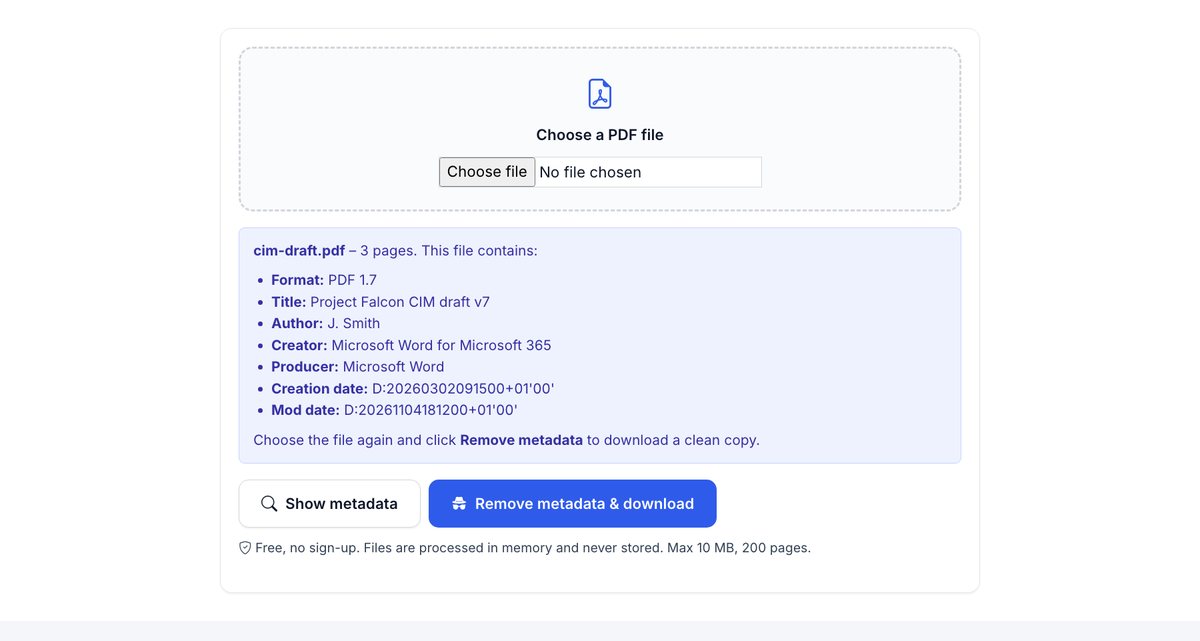
Show the metadata
See the author, company, software, dates and hidden XML the file carries.
Remove & download
A clean copy without metadata, XMP, scripts, thumbnails, attachments and earlier saved versions.
Clean metadata is step one. Controlling who reads the file is step two.
HelpRange links verify the reader's e-mail, watermark every page and can be revoked – and show you who opened the document and which pages they read.
Metadata has exposed authors of anonymous reports and the real origin of "final" documents. Before sending a PDF to a counterparty, investor or court, check what it says about you – and remove it.
What PDF metadata reveals
Every PDF records who and what made it: the author name from the Office account, the company, the software and version, the creation and edit dates, sometimes the original file path such as C:\Users\jsmith\Deals\Project Falcon\. XMP metadata can add an edit history. In a deal or a legal matter this tells the reader more than you meant: which adviser drafted the document, which template it came from, when it was last changed.
Removing it takes seconds and should be routine before a document leaves the company.
What the clean copy removes
- Document properties (author, title, subject, keywords, creator, producer, dates) and XMP metadata.
- JavaScript, page thumbnails and attached files.
- Earlier versions kept by incremental saves – the file is rewritten from scratch.
It does not change the visible content. Names in the text itself need redaction; comments and form fields need flattening. The security check shows all of it in one report.
Example: what a contract PDF can reveal
A contract exported from Word may show the author “J. Smith (Law Firm LLP)”, the title of the template it was copied from, the creation date months before the negotiation started and the software used. Click “Show metadata” first to see what your file carries, then download the clean copy and send that one.
See and remove hidden PDF metadata – questions
What is PDF metadata?
Information stored inside the file: author, title, the program that created it, creation and modification dates and XMP data that can include names, file paths and edit history.
What does cleaning remove?
The document information fields, XMP metadata, thumbnails and JavaScript. The visible content stays unchanged.
Do you keep my file?
Only for a short time: uploads are deleted right after processing, the result after 30 minutes – or at once with “Delete now”.
Does it remove attached files and scripts too?
Yes – the clean copy has no JavaScript, page thumbnails or attached files, and earlier saved versions are dropped because the file is rewritten.