Remove metadata from Office files
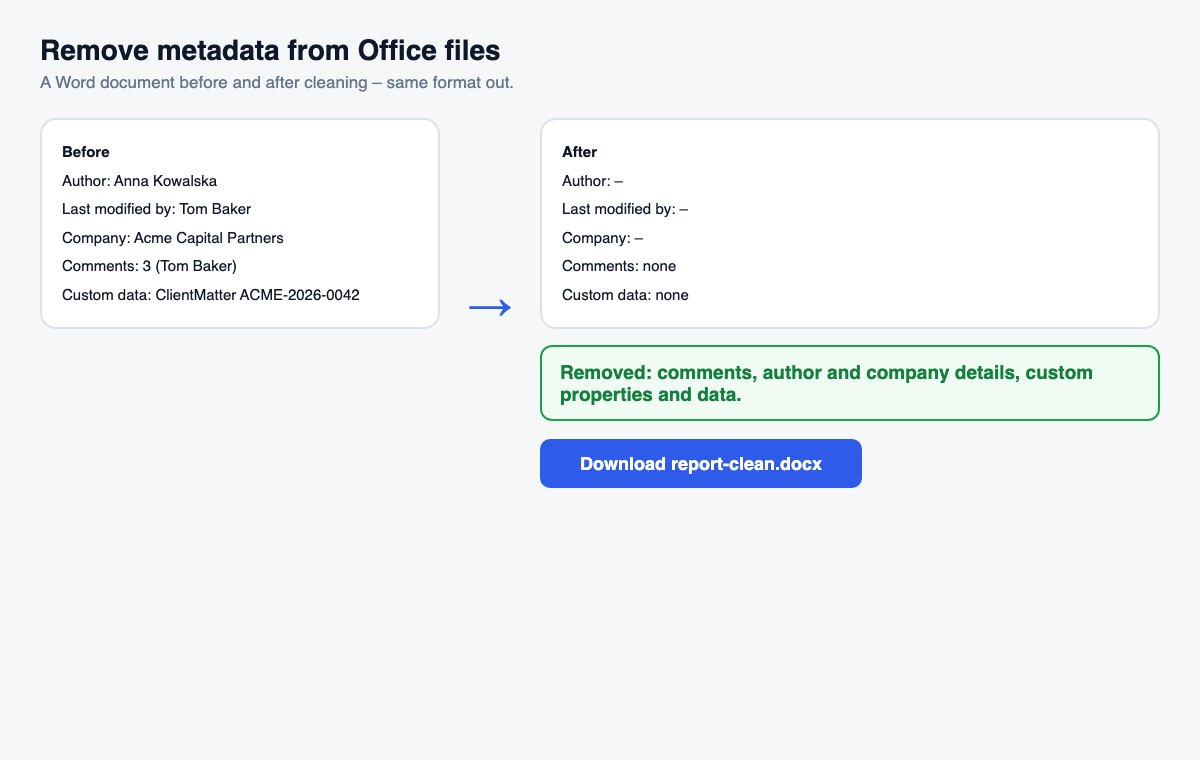
Drop a Word, Excel or PowerPoint file and download a clean copy – comments, author and company removed, in the same format.
How it works
Tick the extras if you need them
Under “More options”: accept all tracked changes, remove hidden slides, remove speaker notes.
Drop the file
Word, Excel or PowerPoint – cleaning starts by itself.
Download the clean copy
The same format, with a summary of what was removed.
Clean metadata is step one. Controlling who reads the file is step two.
HelpRange links verify the reader's e-mail, watermark every page and can be revoked – and show you who opened the document and which pages they read.
Every Office file carries more than its content: who wrote it, who edited it last, the company name from the Office licence, comments and replies, and identifiers from document systems. Removing them before a file goes to a client, the other side of a deal or the public is basic hygiene – and much quicker than Office’s own Document Inspector.
Metadata that Office adds without asking
Office writes the name from your Office account as the author, the last person who saved the file, and often the company name from the licence. Comments keep their authors and dates even when they are resolved. Document systems such as SharePoint add their own identifiers. None of it is visible on the page, but all of it is one click away for the recipient. For PDFs, use the PDF metadata remover.
What stays in the file
The cleaner removes what identifies people and systems, not your content. The text, tables, pictures, formulas, styles and the document title stay as they are, so the file looks and works exactly as before. Hidden sheets, rows and columns, links to other files, embedded files and macros are not changed, because removing them could break the document – the Office check lists them so you can fix them in Office. Word’s bibliography sources are kept too, so citations keep working. The file’s creation date stays: it is part of the document’s history rather than a person.
Remove metadata from Office files – questions
What is removed?
Comments and their authors, the author, last editor, company and manager in the file properties, custom properties and data stored by other programs (e.g. SharePoint). The text, layout, formulas and pictures stay as they are.
What about tracked changes?
They are kept unless you tick “Accept all tracked changes” – then every insertion stays, every deletion is gone and nobody can see the earlier wording. For PowerPoint you can also remove hidden slides and speaker notes.
Do you keep my file?
Only for a short time: uploads are deleted right after processing, the result after 30 minutes – or at once with “Delete now”.