Repair a damaged PDF
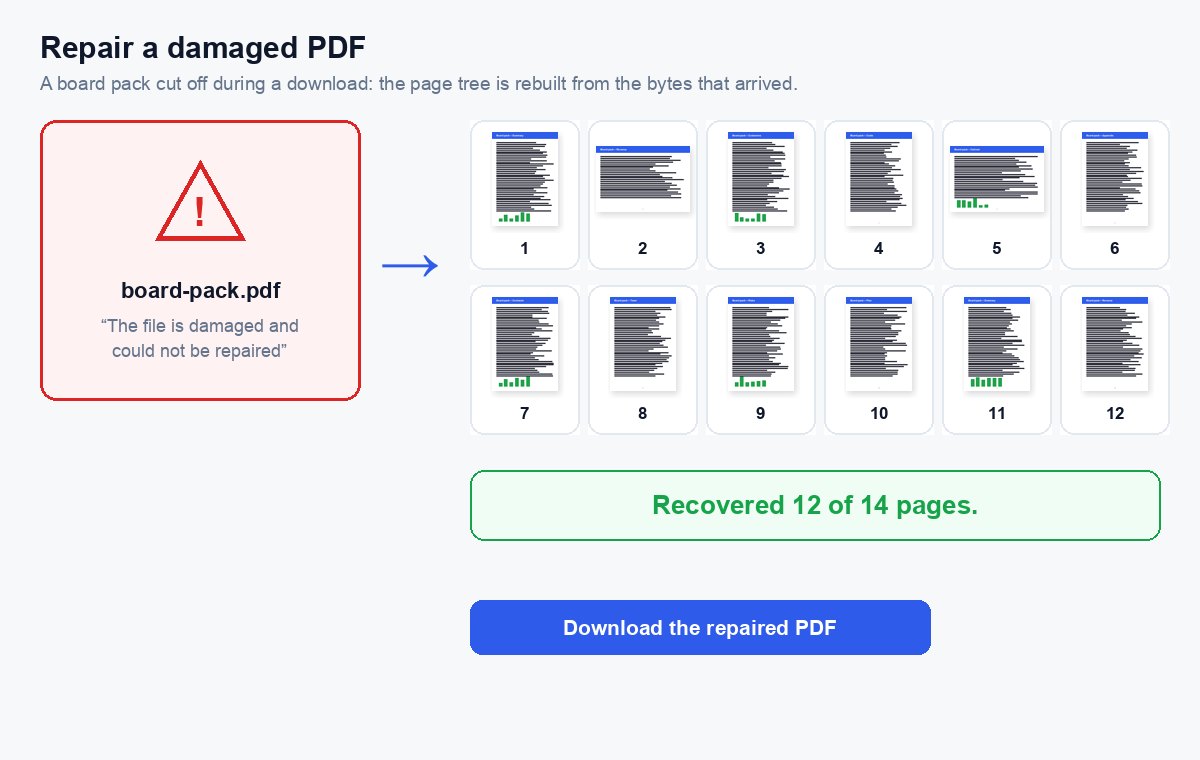
Drop a PDF that will not open or shows errors – the repair starts by itself, and you see how many pages were recovered.
How it works
Drop the damaged PDF
The repair starts by itself – no options to set.
We rebuild the file
The cross-reference table and page tree are rebuilt and every page is checked.
Download the repaired PDF
The result says how many pages were recovered, e.g. “Recovered 12 of 14 pages”.
Too big for e-mail? Send a link instead
Share any size of PDF, video or Office file as a HelpRange link: it opens instantly in the browser, you get an alert when it is read and can revoke access later.
A PDF breaks most often when a download or an upload is interrupted, when a program crashes while saving, or when a file is copied from a failing disk or e-mail system. The pages are usually still in the file – what is broken is the index that tells a viewer where they are. Rebuilding that index brings the document back.
Why PDFs break
A PDF ends with an index (the cross-reference table) that tells a viewer where every page and picture starts. When a download stops early, an e-mail system cuts an attachment, a program crashes while saving or a file is copied from a failing disk, that index is the first thing to go – and viewers report the file as damaged although most pages are still inside. The repair reads the file from the start, finds the pages and writes a new, clean file around them.
- Re-saved: the usual case – every page that can be read is kept as it was, text and links included.
- Rebuilt: when the end of the file is missing, the pages are collected from the bytes that arrived; pages whose content was cut off are left out, unless a scanned page can be drawn again from its picture.
- As images: if the file cannot be written again, readable pages are kept as pictures – nothing to copy, but nothing lost to the eye.
If the repair cannot help
Pages whose content is missing from the file cannot be recreated. Ask the sender for the file again, download it once more, or look for an older copy – and check a fresh copy with the PDF security check before you open a file from an unknown source. A PDF that asks for a password is not damaged; this tool does not remove passwords.
Repair a damaged PDF – questions
What can be repaired?
Broken or missing cross-reference tables, junk before the start of the file, a damaged page tree, files cut off during a download or an e-mail transfer, and single pages that cannot be read (they are left out or kept as images).
Will I get every page back?
Often, but not always. Pages whose content is missing from the file cannot be brought back – the result tells you exactly how many pages were recovered, e.g. “Recovered 12 of 14 pages”.
Can it open a password-protected PDF?
No. A PDF that asks for a password is not damaged – this tool does not remove passwords.
Do you keep my file?
Only for a short time: uploads are deleted right after processing, the result after 30 minutes – or at once with “Delete now”.
Is the repaired PDF safe to open?
The repair writes a new file with only the pages and their content; it does not check for malicious content. For a file from an unknown sender, run the PDF security check too.