Organize PDF pages
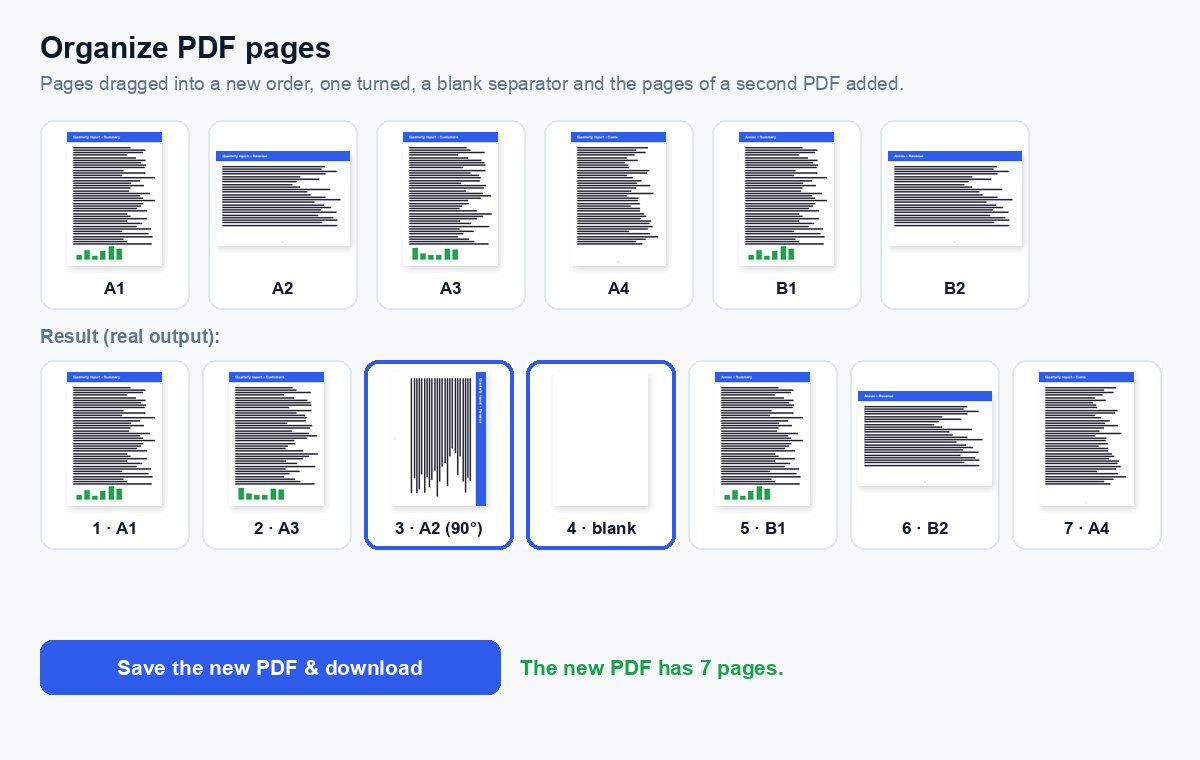
Drag the pages into the order you want, rotate or delete them, insert blank pages and add pages from other PDFs – then save it all as one PDF.
How it works
Choose your PDF
Every page appears as a thumbnail, drawn in your browser.
Arrange the pages
Drag pages to a new place, rotate or delete them, insert blank pages and add the pages of other PDFs.
Save the new PDF
One click on the big button – the pages are rearranged in the real file on our server.
Sending a document pack? Use a data room instead
Put all files in one HelpRange data room: guests log in with an e-mail code, sign your NDA, and you see who opened which document – with uploads and AI answers from the documents.
Organizing a PDF fixes the typical problems of documents put together in a hurry: scanned pages in the wrong order, an appendix that belongs in the middle, a missing separator page or a page from another file that has to go in – all in one pass instead of splitting and merging several times.
Everything in one pass
Fixing a document put together in a hurry usually needs several steps: a scanned page in the wrong place, one upside down, an empty page to delete and an annex from another file to slot in. Organize does all of them on one screen, so you split, merge and rotate once instead of four times – and you see the result before you save it.
- Move: drag a page, or use the arrows under it (also on phones and with the keyboard).
- Rotate: the arrows turn a page 90° left or right.
- Blank page: inserts an empty page of the same size – handy as a separator or for double-sided printing.
- Add PDF: its pages are added at the end with a coloured letter, so you can tell the files apart.
After organizing
Number the pages with page numbers or Bates numbers once the order is final, and compress the file if it is too big to e-mail.
Organize PDF pages – questions
How do I change the page order?
Drag a page to its new place, or use the arrows under it (they work on phones and with the keyboard too). The numbers update as you go.
Can I add pages from another PDF?
Yes – click “Add PDF” and its pages appear at the end; drag them where they belong. Up to the file limit shown under the tool.
Do you keep my files?
Only for a short time: uploads are deleted right after processing, the result after 30 minutes – or at once with “Delete now”.
Is there a page limit?
Up to 1,000 pages per file without an account (more with a free account or a paid plan); the thumbnails are drawn in your browser, so very long files take a moment to show.