Rotate PDF pages
Turn sideways or upside-down pages the right way up. Click a page to rotate it, or rotate them all at once.
How it works
Choose your PDF
Every page appears as a thumbnail, drawn in your browser.
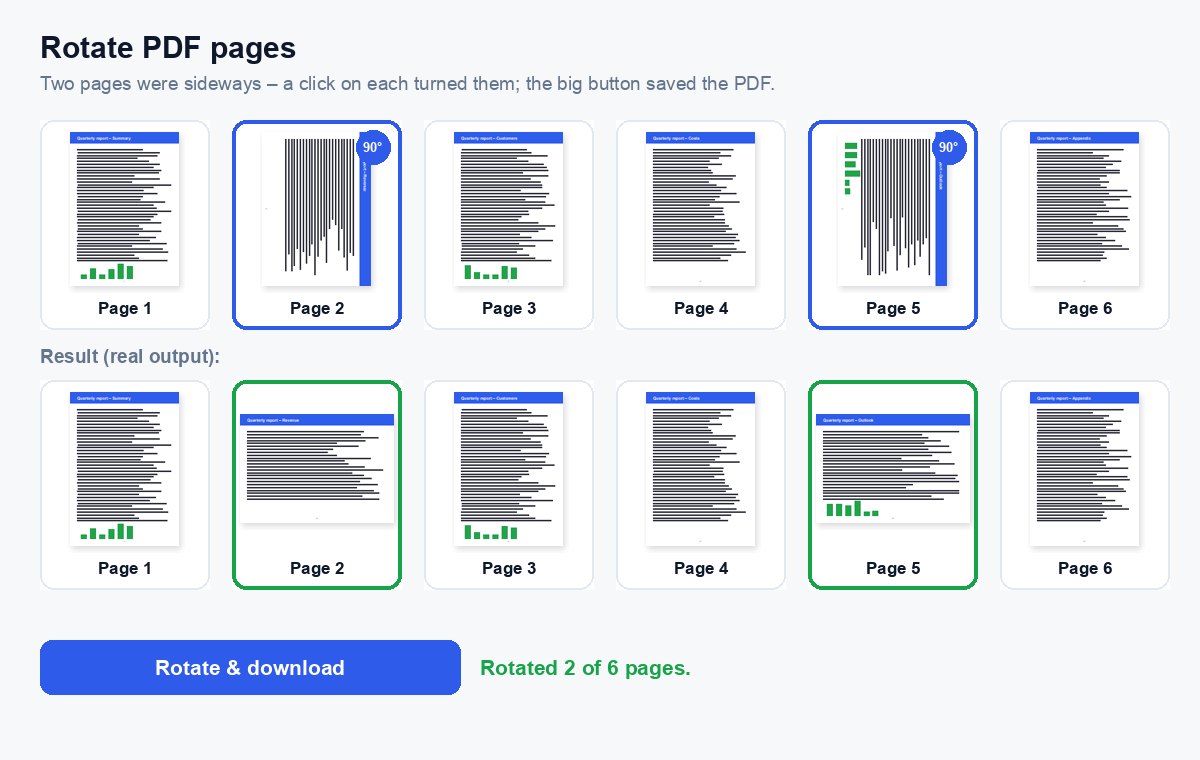
Click the pages that are the wrong way round
Each click turns a page 90° to the right – or rotate all pages left or right at once.
Download
Without any clicks on pages, the big button turns every page 90° to the right.
Send just the pages that matter – and see who read them
Share the extracted part as a HelpRange link: page-by-page analytics, an alert when it is opened, a watermark with the reader's e-mail and access you can revoke.
Scanned contracts, photographed receipts and slides exported in landscape often end up sideways in a PDF. Rotating the pages in the file itself means every reader, printer and e-signature tool shows them the right way up – no more turning your head or the screen.
Why pages end up sideways
Scanners and phone cameras save the page the way it went in, so a landscape table or a page fed upside down stays that way in the PDF. Slides exported from presentation software, forms printed in landscape and photos of receipts are the usual suspects. Turning the screen fixes it for you only – rotating the page in the file fixes it for every reader and printer.
The rotation is stored in the page itself, so the text stays sharp, links keep working and the file barely changes in size. If a scan has no text layer yet, run OCR after rotating so the words become searchable.
Rotating only some pages
- Click a page once for 90° right, twice for upside down, three times for 90° left – the small arrows under each page turn it either way.
- Without the preview (or on a very long file) open More options, choose the angle and type the pages, e.g.
2, 5-7. - Need to reorder or delete pages too? Organize PDF does all three in one go.
Rotate PDF pages – questions
How do I rotate only one page?
Choose the PDF, click the page that is the wrong way round (each click turns it 90° to the right) and press the big button. The other pages stay as they are.
Is the rotation permanent?
Yes. The new PDF opens with the pages turned in every viewer – the text, links and quality of the pages are not changed, only their orientation.
Do you keep my file?
Only for a short time: uploads are deleted right after processing, the result after 30 minutes – or at once with “Delete now”.
Can I rotate a PDF on my phone?
Yes – the page works in the phone browser: choose the PDF, tap the pages to rotate and download the result.