Split a PDF by file size
Too big to attach? Split the PDF into parts of at most 10 MB each (or 5, 20, 25 MB) – pages in order, every part a normal PDF.
How it works
Pick the largest part size
10 MB is preselected – it fits almost every mail server.
Drop the PDF
The split starts by itself and keeps the pages in order.
Download the ZIP
Part 1 of 4, part 2 of 4… each a complete PDF with its page range in the name.
Too big for e-mail? Send a link instead
Share any size of PDF, video or Office file as a HelpRange link: it opens instantly in the browser, you get an alert when it is read and can revoke access later.
Most mail servers refuse attachments above 10–25 MB. Splitting a scanned contract, a deck with photos or a construction report into parts by size gets it through without losing quality – each part is a complete PDF with consecutive pages. Choose the size before you drop the file.
Attachment limits of common e-mail services
- Gmail: 25 MB per e-mail (attachments are encoded, so ~18 MB of files is the safe maximum per message).
- Outlook.com: 20 MB; Microsoft 365 company mail: often 10–25 MB, set by the administrator.
- Many company and government servers: 10 MB or less.
Send one part per e-mail. Each part is measured after it is written, so it really is under the limit.
Smaller instead of more parts
Scans and photo-heavy PDFs often shrink by 50–90% with Compress PDF – try that first. Or skip attachments altogether: send the PDF as a link and see when it is opened.
Example: a scanned tender document
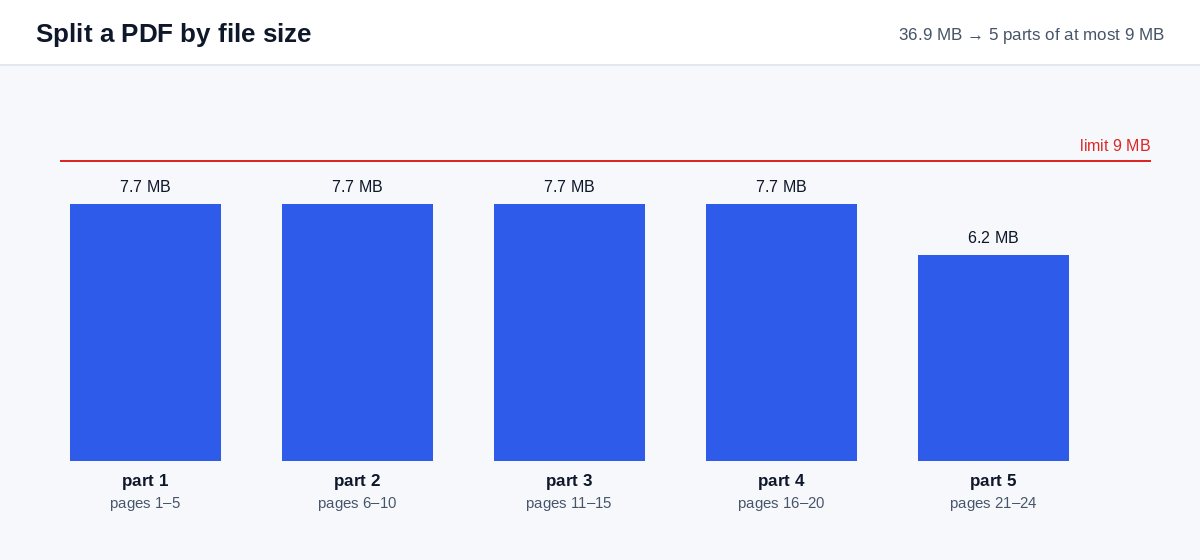
A 46 MB scanned tender has to reach a public office whose mail server takes 10 MB. Keep 10 MB, drop the PDF and you get five parts named like tender-part-1-of-5-pages-1-24.pdf. Send them in five e-mails, numbered in the subject line, so the office can put them back together in the right order.
Split a PDF by file size – questions
Which size should I choose?
10 MB fits most e-mail systems safely; 20–25 MB fits Gmail and Outlook.com (25 and 20 MB); 5 MB for strict company mail servers.
What if one page is larger than the limit?
That page becomes a part on its own, and the result tells you which page it was – compress the PDF first to make it smaller.
Do you keep my file?
Only for a short time: uploads are deleted right after processing, the result after 30 minutes – or at once with “Delete now”.
Are the pages kept in order?
Yes – part 1 has the first pages, part 2 continues where part 1 ended, and every file name shows its page range.