Let the client accept your offer – and see how closely they read it
Before the proposal opens, your client sees a short page with your logo, their name, your message and a price summary, and two buttons: “Accept offer” and “Request contact”. When they click, you get an e-mail, a Slack message or a webhook – with the engagement score of their reading.
Personal for every client
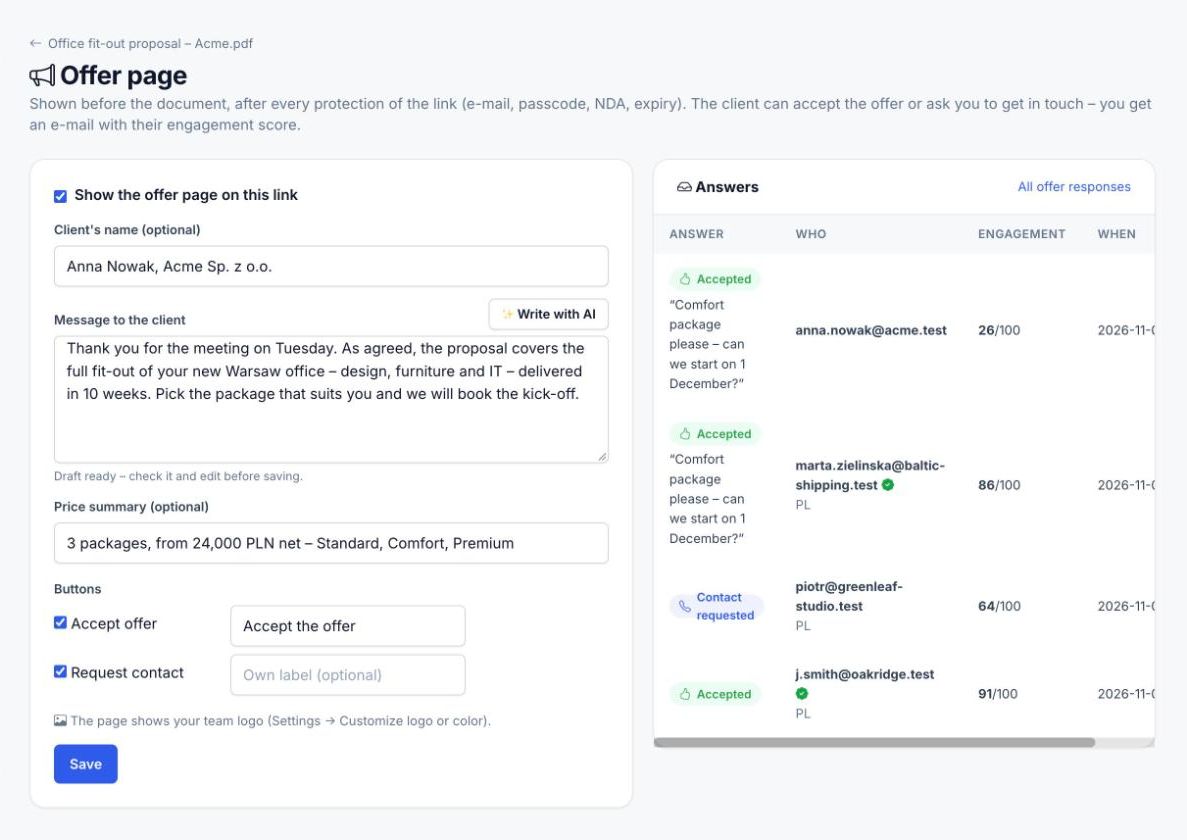
The client’s name, your message and a one-line price summary – “3 packages, from 24,000 PLN net” – with your team logo above.
“Accept offer” and “Request contact”
Two buttons with your own labels if you like. The client can add a comment: “Comfort package please – can we start on 1 December?”
Notified the moment they click
An e-mail with the client’s e-mail, comment and engagement score; a Slack message or a webhook event to your CRM, Make or n8n.
Engagement score for every recipient
Each visit gets a score from 0 to 100 from the time spent on every page, shown next to the recipient – so you call the client who read the pricing twice first.
Write with AI
One click drafts the message and the price summary from the document itself. You check and edit it before saving.
For a file or a whole folder
Put the offer page in front of one proposal or of a folder link with the proposal, price list and contract.
What your client sees – and what you see
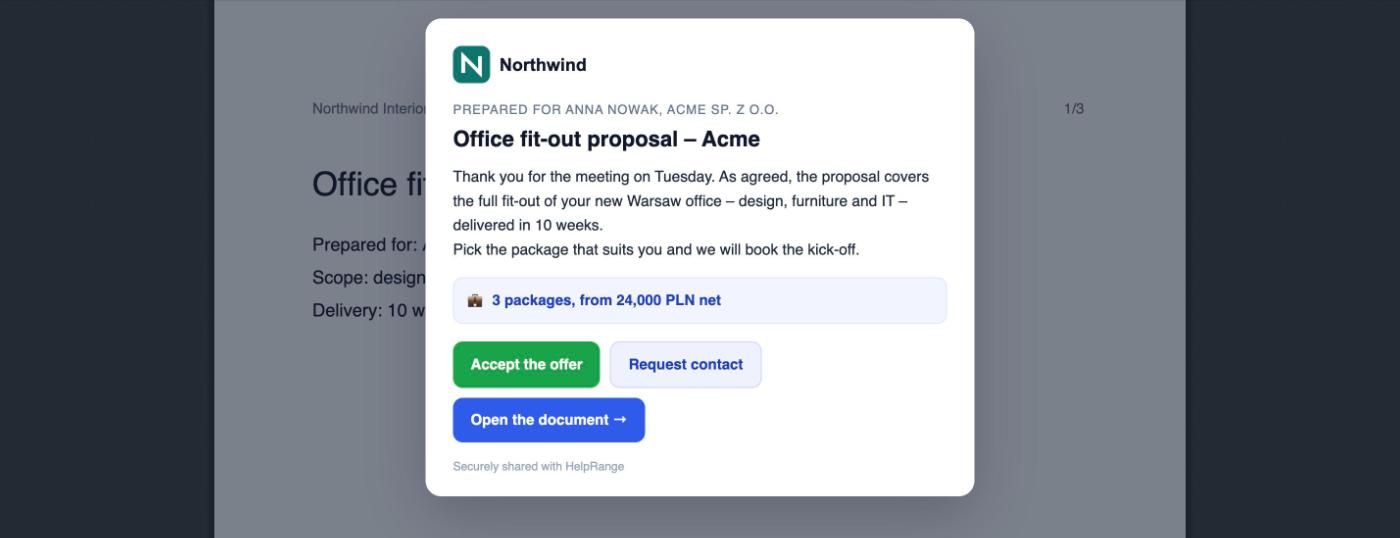
The offer page before the proposal
Logo, client’s name, message and price summary, then “Accept the offer”, “Request contact” or “Open the document”.
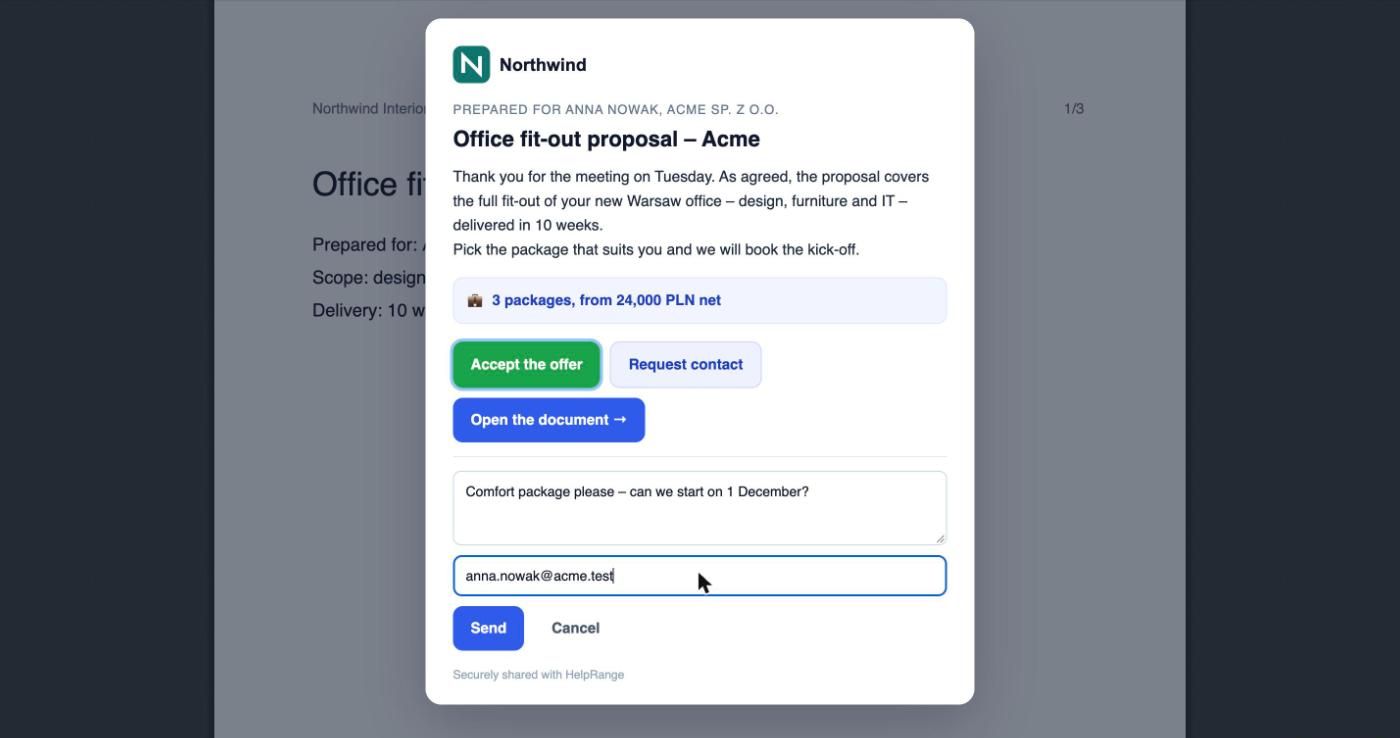
A comment with the answer
The client adds a note and their e-mail – or HelpRange uses the e-mail they already confirmed on the link.
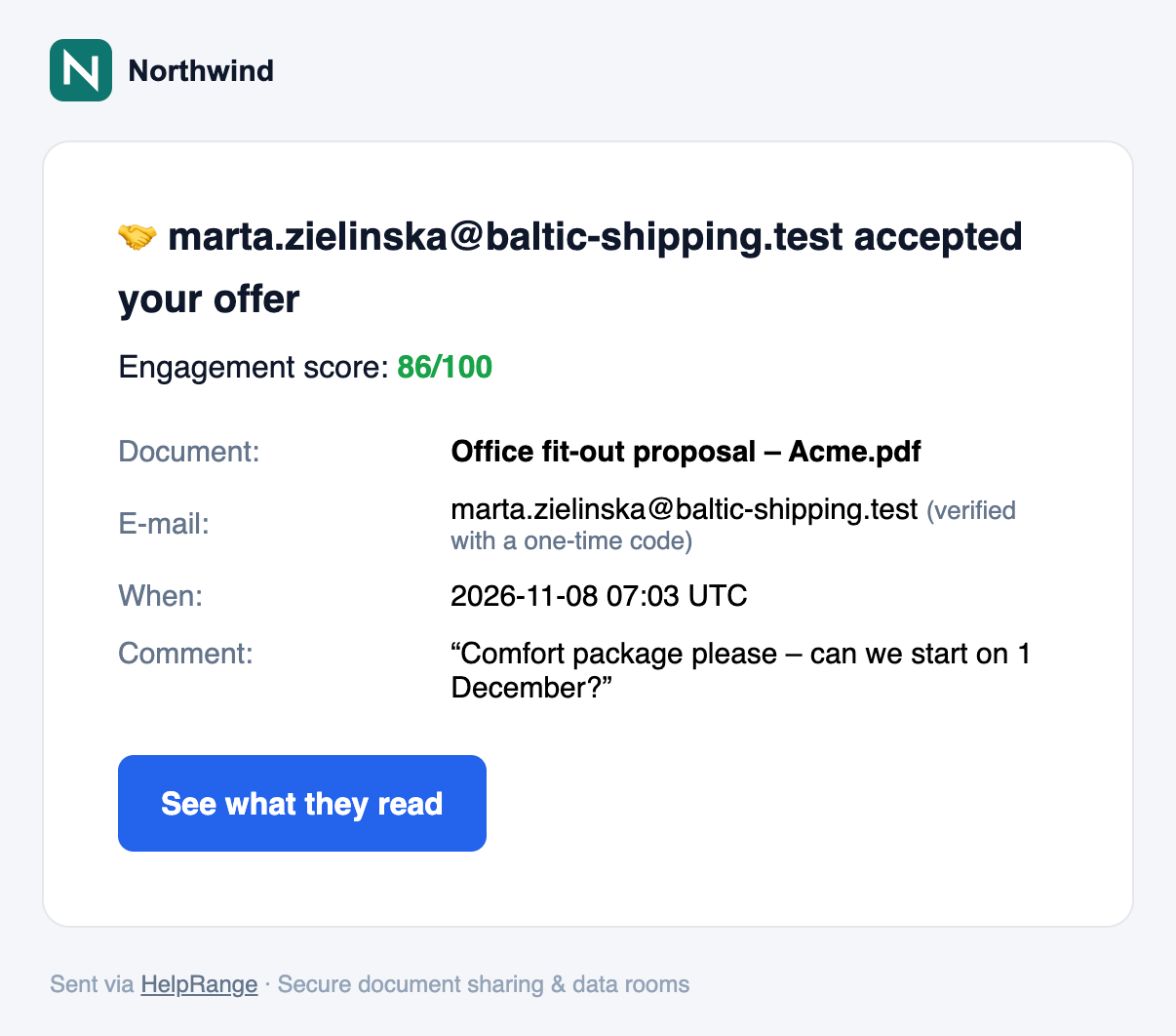
Your e-mail: accepted, with the engagement score
Who accepted, their comment, when, whether the e-mail was verified with a code – and how closely they read.
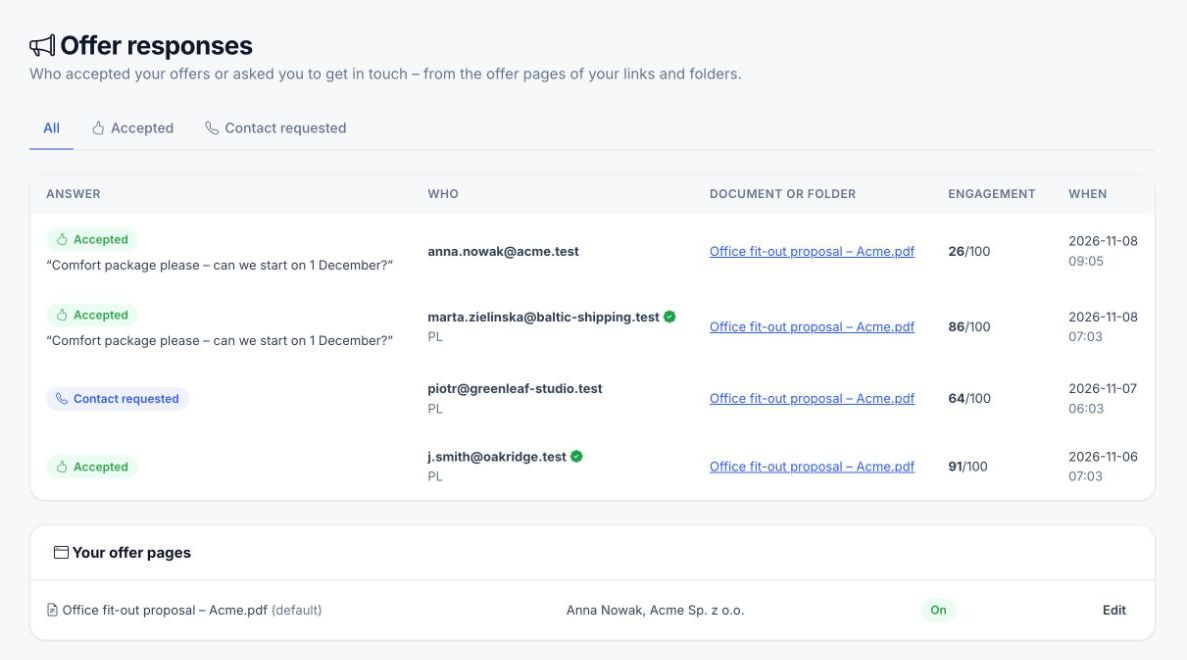
Offer responses for the whole team
Every acceptance and contact request from all links and folders, with the engagement score and the document.
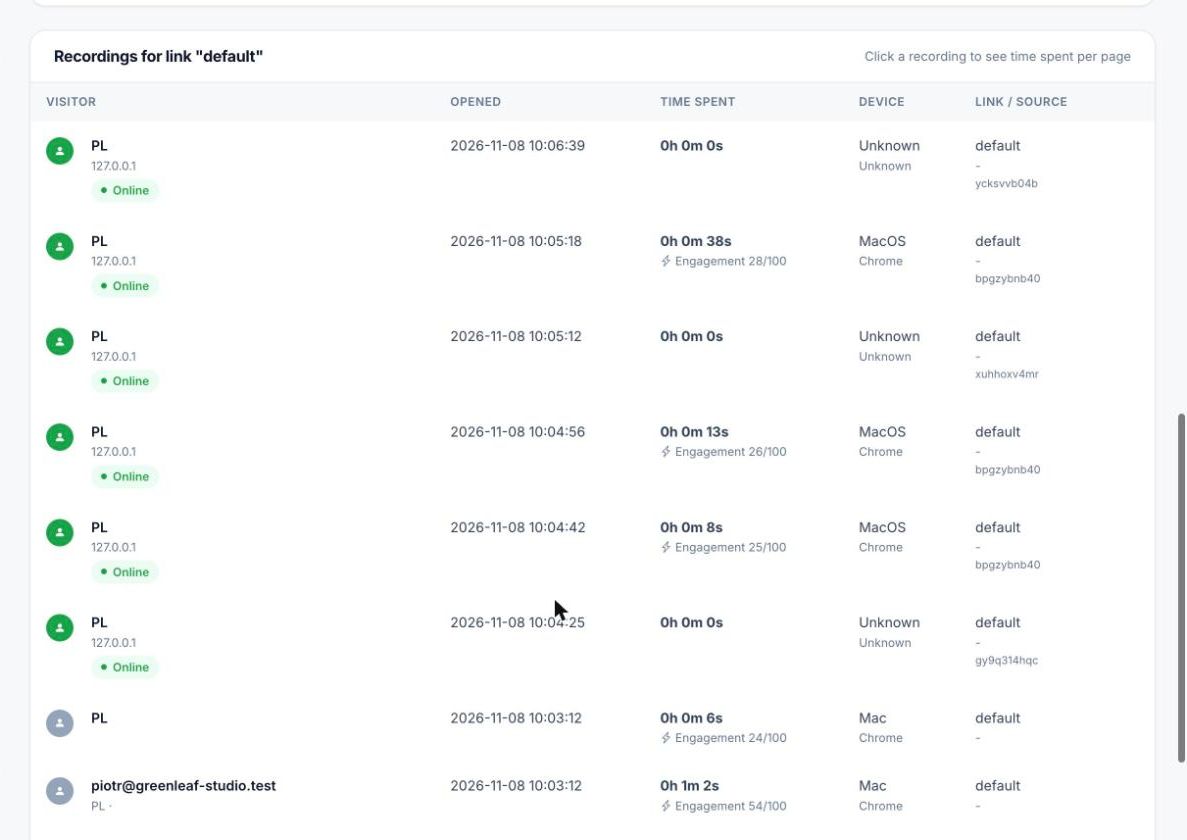
Engagement next to every recipient
The link’s recordings list shows each visit with its time and engagement score.
Set it up in a minute
Client’s name, message (or “Write with AI”), price summary and button labels on the link’s settings.
Works with every protection of the link
Shown after the e-mail gate
The offer page appears after every protection of the link – e-mail confirmed with a code, passcode, NDA, expiry date – so you know who answered.
The proposal stays protected
Watermark with the client’s e-mail, download and print off, and a link you can switch off when the offer ends.
Every page tracked
Time on every page, heatmaps and visit replay for the document behind the offer page.
One price for the sales team
Every salesperson in one team on Pro: $39 a month in total, no per-user fees and no proposal limits.
Or let AI write the whole offer
The AI offer generator turns your last offer and a prompt into a new PDF with this offer page in front of it.
PDF, Word, PowerPoint or Excel – or a folder with everything the client needs.
On the link: the client’s name, your message (or “Write with AI”), the price summary and the buttons.
You get an e-mail, Slack message or webhook when the client accepts or asks for contact – with their engagement score.
The offer page is part of Pro ($39 per team per month, $31 billed yearly) and every higher plan, including the Deal Room Pass, and you can try it in the 3-day trial. “Write with AI” uses one AI request (Pro: 50 a month, Unlimited: 100). Plans & pricing
Offer page – questions
What does the client see?
Before the document: your logo, their name, your message, a price summary and the buttons “Accept offer” and “Request contact” – plus “Open the document”. The page appears after the link’s protections, such as the e-mail gate or passcode.
How am I notified?
By e-mail to the owner of the document, with the client’s e-mail, comment and engagement score. If you connected Slack or a webhook, they get the event too – for example “anna@client.com accepted the offer – engagement 82/100”.
What is the engagement score?
A number from 0 to 100 for each visit, calculated from the time spent on every page of the document. It is shown next to each recipient in the recordings list, in Offer responses and in the notification.
Is “Accept offer” a signature or a payment?
No. It is a recorded answer – who, when, with which comment. HelpRange has no e-signature or payments for offers; send the contract for signature with the tool you already use.
Can I use it for a folder?
Yes. Add the offer page to a folder link and the client answers once for the whole set of documents.
Does HelpRange remind the client automatically?
No. You see who opened the offer and how closely they read it, and you decide when to follow up.
Which plans include it?
Pro, Unlimited and the Deal Room Pass, and the 3-day trial. The Free plan does not show offer pages.
Try it on your own documents
3-day free trial, then a free plan. No credit card required.
Start free trial