Convert CSV to Excel
Drop a CSV file and download a proper Excel workbook – separator and encoding are detected for you, numbers stay numbers.
How it works
Drop the CSV file
The conversion starts by itself.
We read it the right way
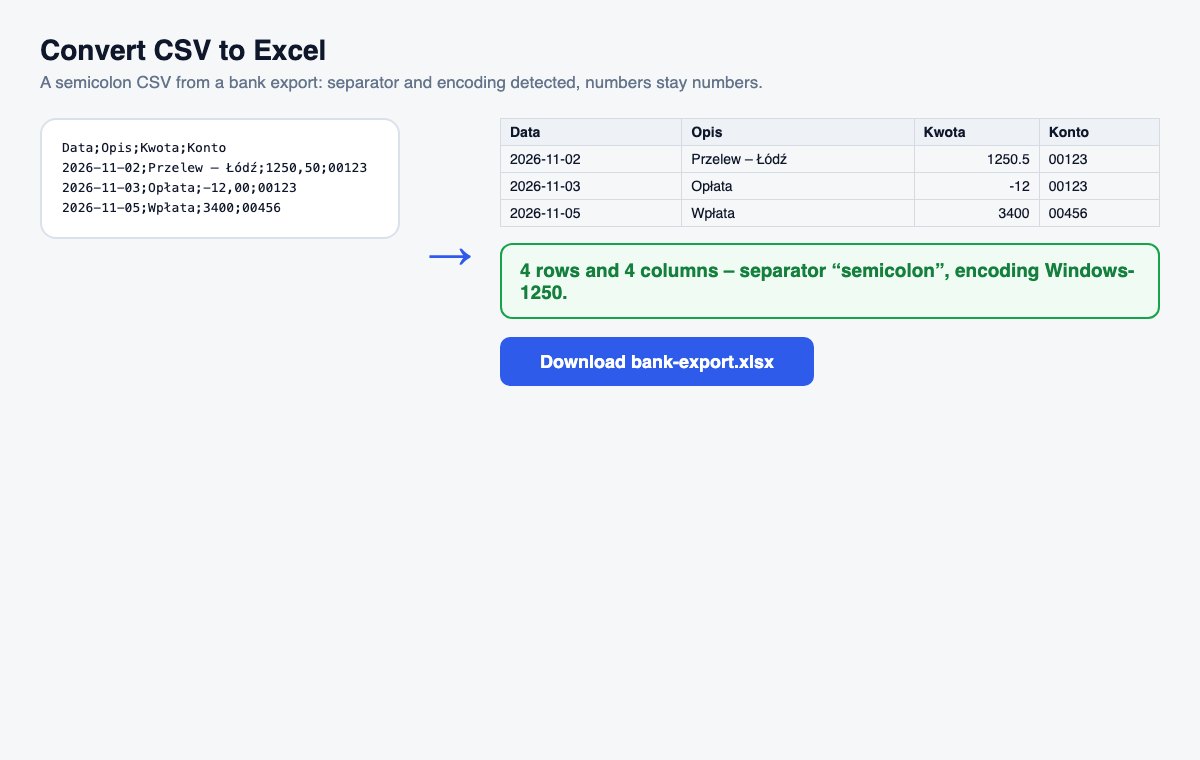
The separator and the encoding are detected; numbers become numbers, IDs with leading zeros stay text.
Download the .xlsx
A header row is made bold and stays visible while you scroll.
Skip the conversion: share Office files directly
HelpRange opens Word, PowerPoint and Excel files in the browser with page analytics and watermarks – upload the original and send one secure link.
Exports from banks, shops, CRMs and survey tools usually come as CSV. Opening them in Excel directly often breaks accents, splits nothing into columns or turns IDs into numbers. A converted .xlsx opens right on every computer and is ready to sort, filter and share.
When accents turn into strange characters
A CSV file has no setting that says which encoding it uses – programs have to guess. Files from older Windows programs often use Windows-1250 or Windows-1252, newer ones UTF-8. The converter checks the bytes of the file and picks the encoding that fits, then writes an Excel file, which stores the encoding itself – so ą, é, ß and ø look right on every computer.
Numbers, dates and IDs
Plain numbers such as 1500, -3 or 2.5 become real numbers you can sum, sort and chart. In files separated by semicolons or tabs, a decimal comma (2,5) is read as a number too, because that is how European exports write it. Anything that could lose information as a number stays text: values with leading zeros (postcodes, account and phone numbers, IDs), very long numbers such as card or IBAN numbers, and dates – they are kept exactly as written, so Excel never turns an order number into a date. When the first row is a header, it is made bold and frozen at the top.
Convert CSV to Excel – questions
Why do my CSV files open as one column in Excel?
Excel guesses the separator from your system settings – a file with semicolons opens as one column where a comma is expected, and the other way round. This tool detects the separator from the file itself.
Are leading zeros and long numbers kept?
Yes. Postcodes, phone numbers and IDs such as 00123 stay text, so their zeros are not lost; plain numbers like 1500 or 2.5 (or 2,5 in a semicolon file) become numbers you can sum.
Do you keep my file?
Only for a short time: uploads are deleted right after processing, the result after 30 minutes – or at once with “Delete now”.